FrSky MC30R Gimbals - Setup guide
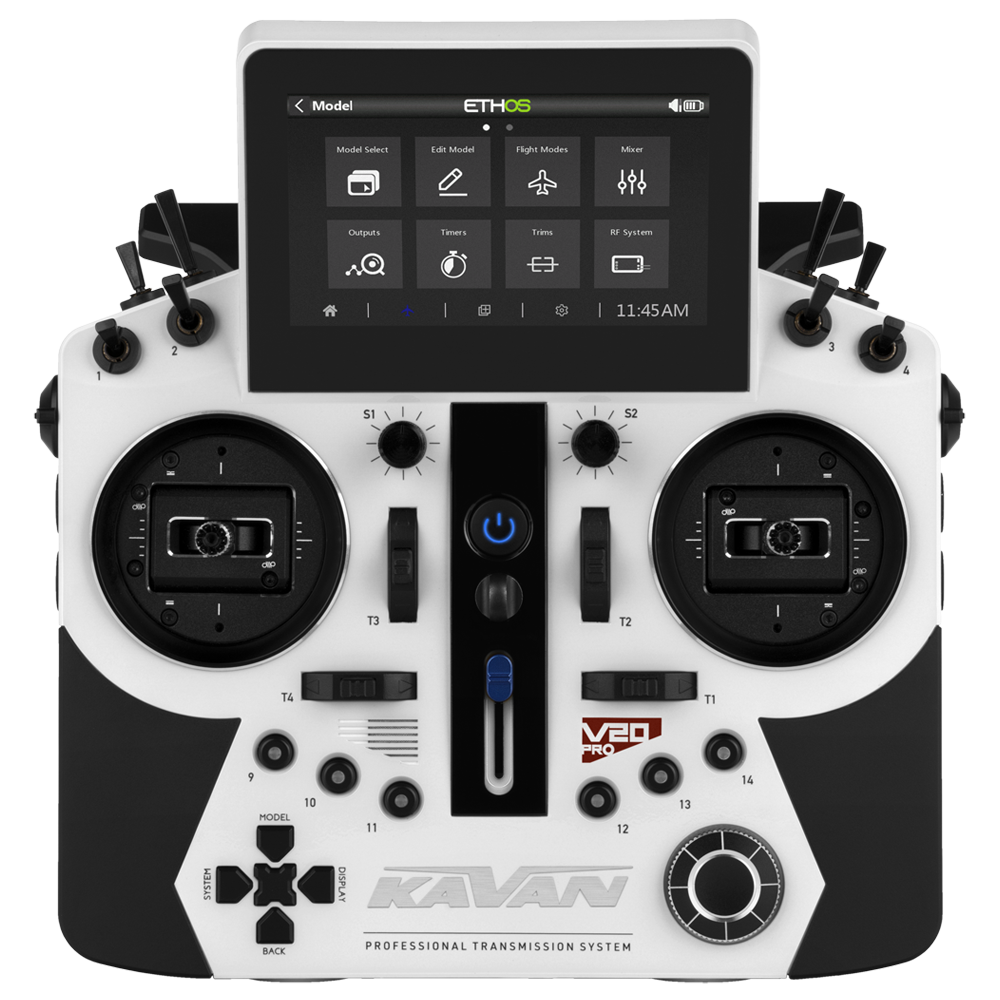
KAVAN V20 Pro - white
Introduction
To find your best RC transmitter setup is now even easier and faster. The MC30R gimbals fitted to the KAVAN V20 Pro are fully adjustable from the front. They are designed for RC planes, perfect for helicopters and compatible with various radio-controlled models, such as drones, cars, or boats. Combined with the ETHOS operating system for remote control and many compatible receivers at your disposal, you will achieve the top settings for your radio control in no time.
Main section
Gimbal description
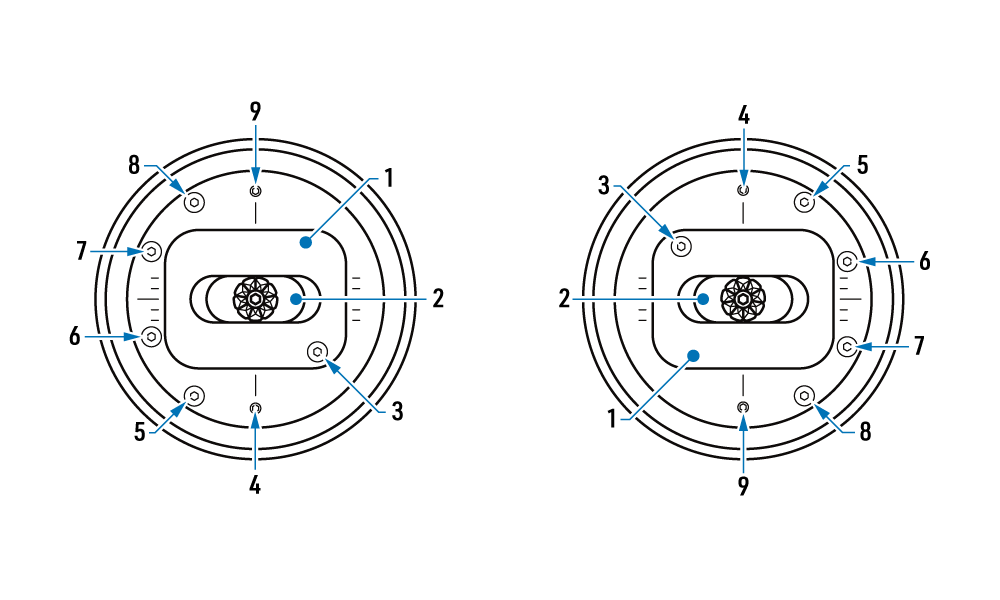
The numbers below identify the controls in the diagram.
- Vertical axis
- Horizontal axis
- Horizontal axis resistance
- Horizontal axis travel limiter
- Non-centring vertical axis stiffness
- Self-centring
- Centring vertical axis resistance
- Ratcheting
- Vertical axis travel limiter
1. Vertical axis
Controls the pitch axis (elevator) or speed (throttle).
2. Horizontal axis
Controls the roll axis (ailerons) or yaw axis (rudder).
3. Horizontal axis resistance
Adjusts the tension of the horizontal axis self-centring spring. Loosening the screw reduces the centring spring force and the force required to move or hold the stick away from neutral.
4. Horizontal axis travel limiter
Adjusts the mechanical travel range limiter of the gimbal's whole horizontal axis. By tightening the screw, the maximum deflection from the centre position can be set between 22.5° and 30°.
5. Non-centring vertical axis stiffness
Adjusts the overall stiffness of the vertical axis movement of the gimbal.
6. Self-centring
Adjusts the self-centring mode of the gimbal. Tightening the screw disables self-centring (the „throttle stick“ does not return to the neutral position). Loosening the screw enables self-centring. This adjustment does not affect the horizontal axis.
7. Centring vertical axis resistance
Adjusts the self-centring spring tension of the vertical axis when self-centring is enabled. Loosening the screw reduces the centring spring force and the force required to move or hold the stick away from neutral.
8. Ratcheting
Adjusts the ratcheting effect of the gimbal's vertical axis. When fully tightened, the ratcheting effect is at its maximum. When fully loosened, the vertical axis movement is smooth.
9. Vertical axis travel limiter
Adjusts the mechanical travel range limiter of the gimbal's whole vertical axis. By tightening the screw, the maximum deflection from the centre position can be set between 22.5° and 30°.
Appendix
Video tutorial
How to change the mode on a transmitter equipped with the MC30R gimbals? It's a matter of just a few seconds. A couple of screwdriver turns, an even quicker setup directly in the transmitter, and that's it. Watch the video tutorial to see how to do it.