FrSky RF007 Archer / Twin FBL controller - Instruction manual
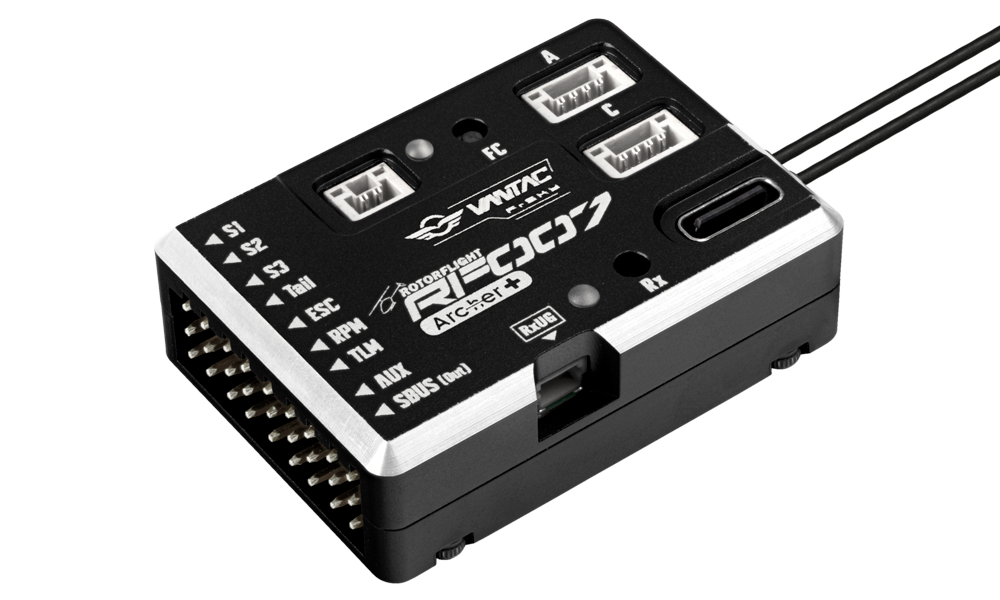
FrSky RF007 Archer
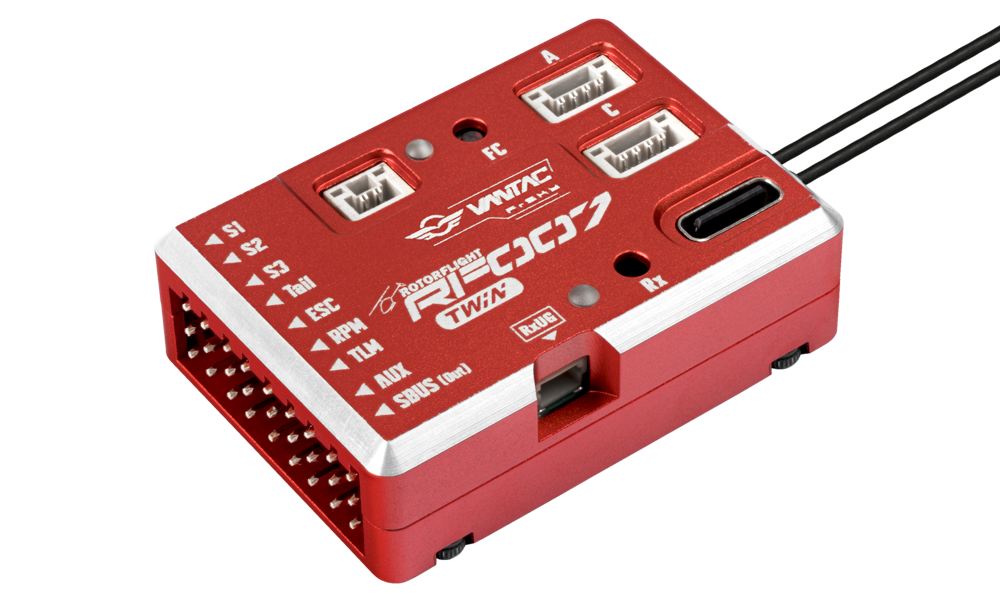
FrSky RF007 Twin
Introduction
The FrSky VANTAC RF007 is a cutting-edge flybarless (FBL) helicopter flight controller, designed to leverage Rotorflight's latest 2.x flight control technology. With its built-in Archer Plus RS or Twin 2.4GHz R6 receiver, RF007 delivers a comprehensive range of features while providing intuitive configuration, seamless adjustments, and real-time tuning via the ETHOS radio interface.
Rotorflight Technology & Comprehensive Capabilities
At the core of RF007 is an STM32F722 MCU processor, supported by a 3-axis gyroscope, a 3-axis accelerometer, and a barometer sensor. Together, these components provide the precision and stability needed for pilots to feel confident with their machines. Additionally, the flight controller supports flight data logging with a large 128 MB black box, allowing users to tune and troubleshoot issues with plenty of data at their disposal.
Internal FrSky Receiver & External Receiver Support
The RF007 features a built-in FrSky receiver that can directly bind with KAVAN or FrSky transmitters, eliminating the need for an external receiver. The RF007 Archer version comes with a built-in 2.4 GHz Archer Plus RS receiver operating in ACCESS or ACCST V2 mode. The RF007 Twin features a built-in dual 2.4 GHz TW R6 receiver operating in TW mode. The internal receiver is interfaced over UART with FBUS operation. For users with other requirements, a receiver can also be connected via the main header or one of the expansion ports. Rotorflight supports a wide range of receiver signal protocols. For a complete list of supported protocols, users can refer to the Rotorflight Configurator tool or visit https://rotorflight.org
Field Programming and Tuning with ETHOS Lua
Thanks to the telemetry connectivity, Rotorflight offers highly intuitive and integrated Lua-based configuration tools to run on ETHOS transmitters. Users can use these tools to tune and change PID settings, servo trims, rates, mixing/geometry, filter settings, and most other Rotorflight settings quickly and easily right from the radio screen. On supported ESCs, the ESC settings can also be configured with the configuration tool.
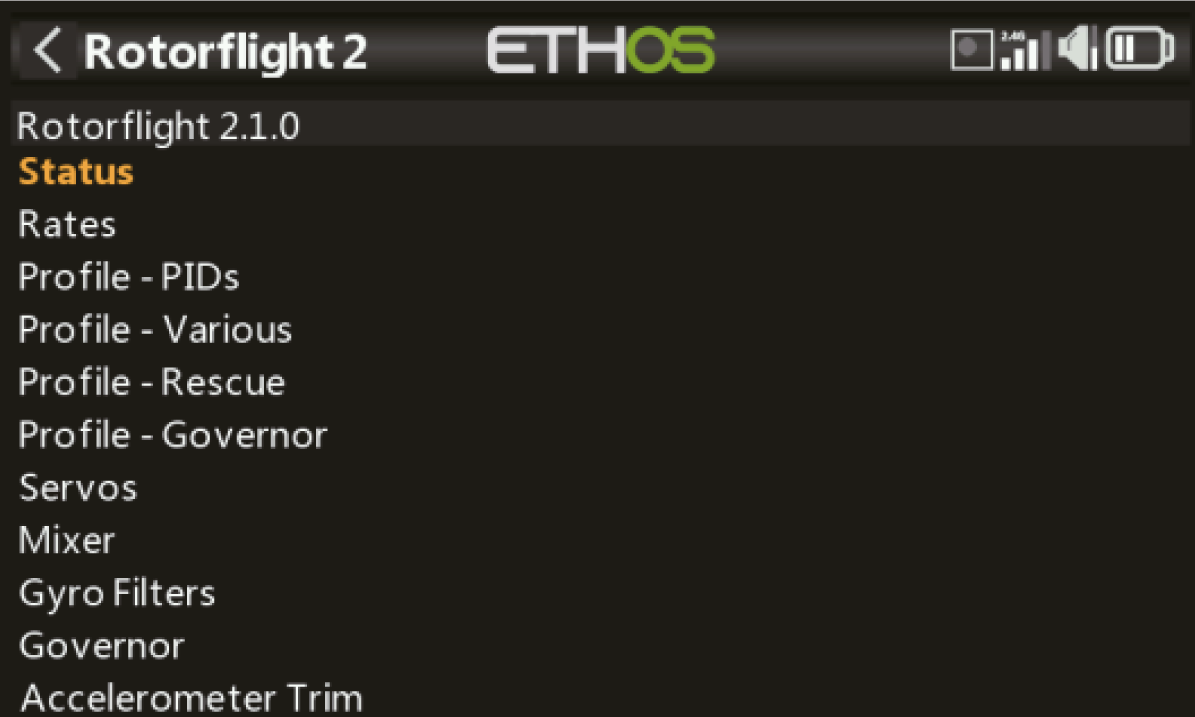
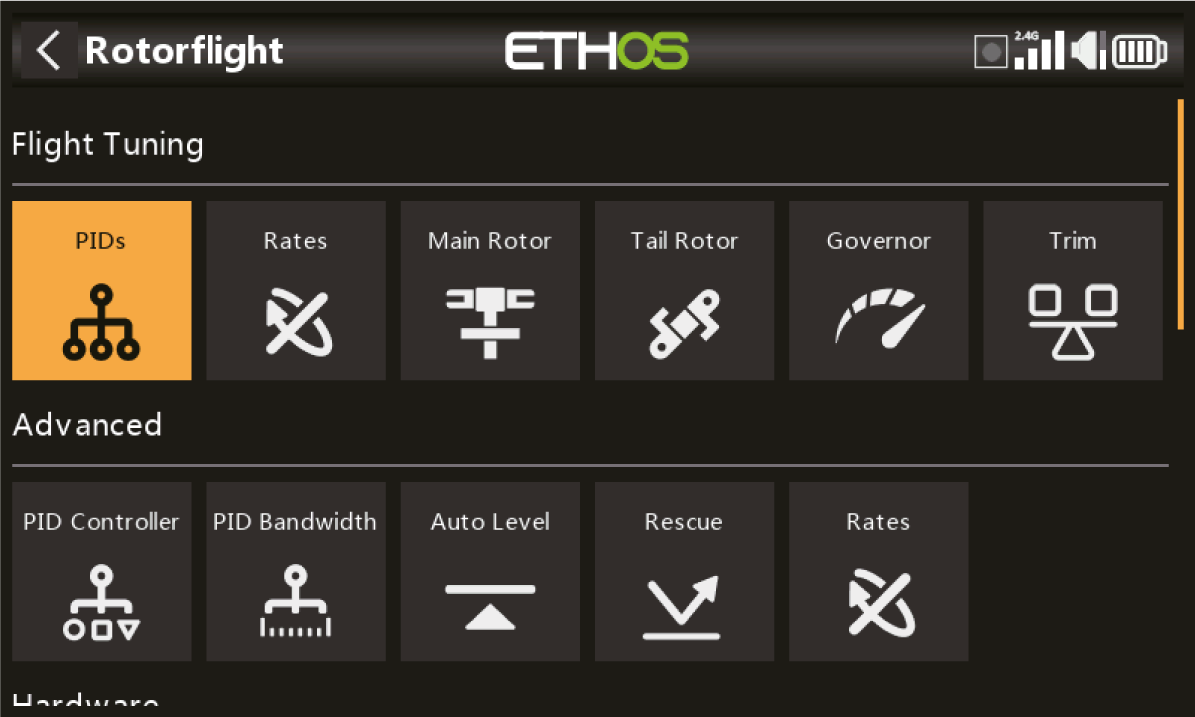
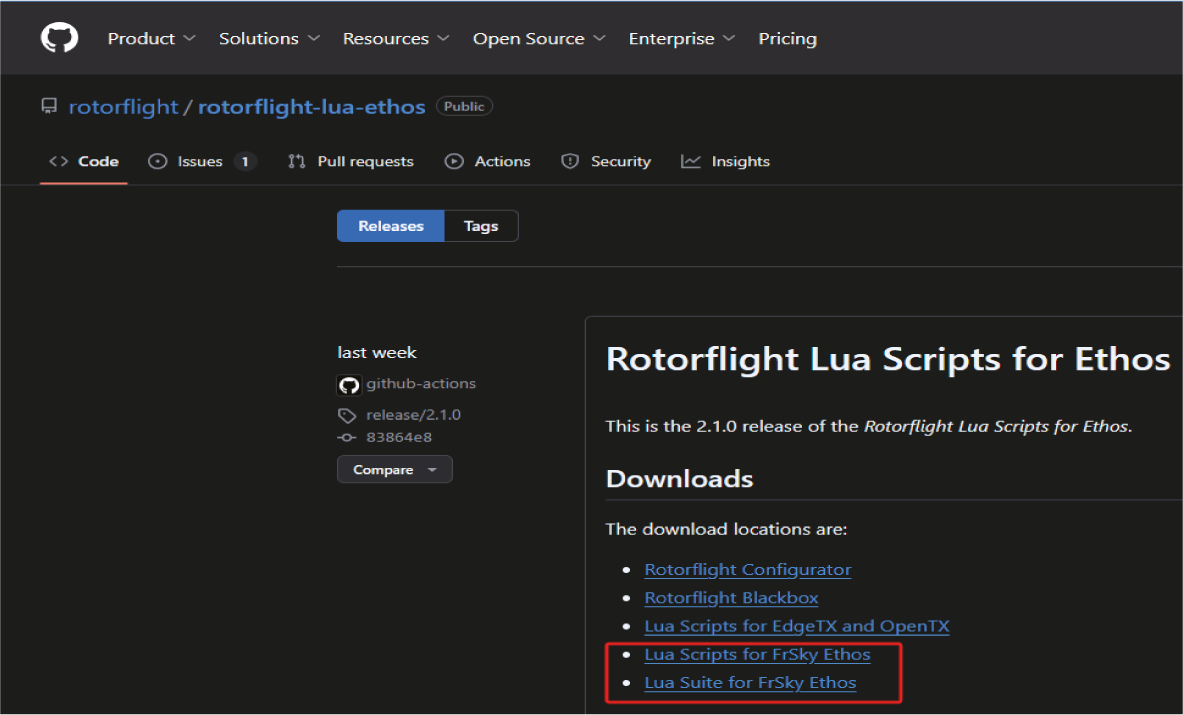
Download a release compatible with your ETHOS and Rotorflight versions:
- Rotorflight Lua scripts – text-based interface.
- Rotorflight Lua Suite – forms-based interface with touchscreen support.
Overview
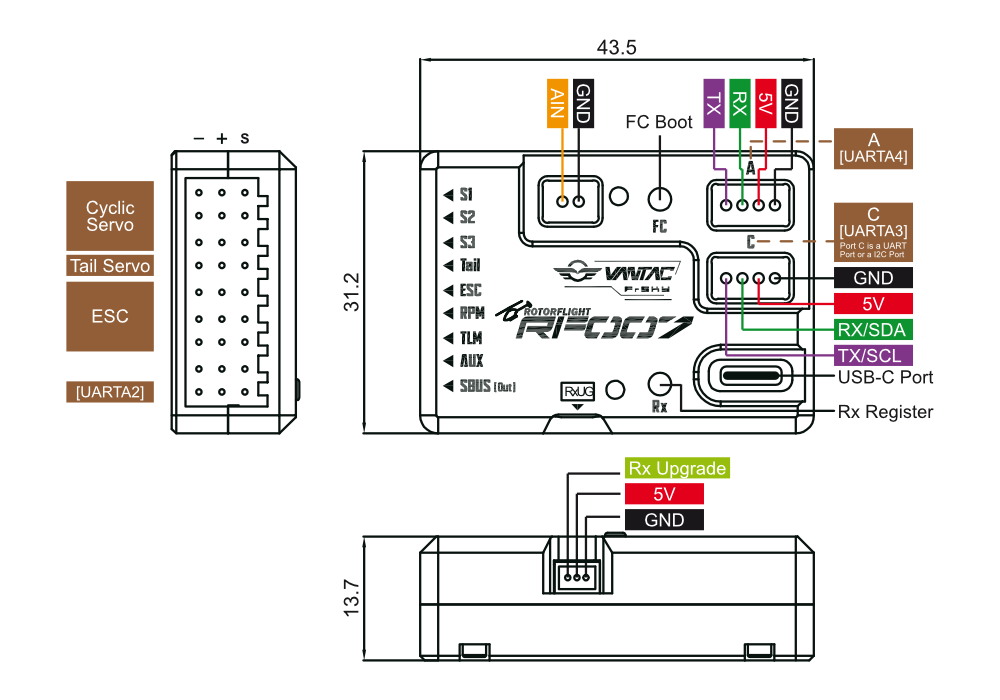
Technical specifications
| Firmware | Rotorflight 2.x |
|---|---|
| Dimensions | 43.5×31.2×13.7 mm |
| Weight | 25.2 g |
| Built-in receiver | RF007 Archer: 2.4 GHz Archer Plus RS / RF007 Twin: Dual 2.4 GHz TW R6 |
| Operating voltage | 5–16 V |
| Operating current (flight controller only) | 125 mA at 5 V |
| Operating frequency | 2.400–2.4835 GHz |
| Max. radiated power | <20 dBm |
| Voltage measurement range via AIN (external device) | 0–80 V |
| RxUG Port | For updating the internal receiver firmware if OTA updating fails |
| MCU | STM32F722RET6 |
| Gyroscope (IMU) | ICM-42688P |
| Barometer | SPL06-001 |
| Black box flash | 128 MB |
| Servo ports | Servo 1, Servo 2, Servo 3, Tail |
| ESC ports | ESC (throttle), RPM (sensor), TLM (ESC telemetry or other functions) |
| Other ports | AUX and SBUS Out/In |
| Expansion ports | Port A, C, and RxUG |
When powering the RxUG port, do not introduce additional power input from other ports to ensure a safe operation of the connected devices.
Features
- Runs Rotorflight 2.x helicopter control software
- Built-in FrSky FBUS-capable receiver (ACCESS/ACCST V2 for Archer, or TW for Twin)
- Robust CNC aluminium case, functional heatsink for MCU
- STM32F722 microcontroller for power and flexibility
- Precision barometer, 3-axis gyroscope and 3-axis accelerometer
- 128MB black box function for tuning/troubleshooting
- 9 main-header connections for flexibility and power distribution
- Multiple JST-GH expansion ports for UART/I2C devices
- JST-GH port for VBAT sensing input up to 80 V
- Capable of multiple ESC protocols (PWM, Dshot, Oneshot, Multishot)
- Capable of multiple receiver protocols and telemetry
- Supports tail motor or tail ESC
- Supports integrated configuration and setup with ETHOS Lua scripts
Main section
Prepare the helicopter
Disconnect the motor before configuration, binding or firmware work. Keep the rotor incapable of starting and check the direction, centre position and travel of every servo before flight. The AIN voltage-sensing input is not a 0–80 V power supply input; the controller's operating supply is 5–16 V.
Protect the controller from high temperatures, moisture and dust. Do not leave it in direct sunlight for long periods. Secure it correctly, avoid mechanical strain on cables and provide adequate cooling.
- Install the controller securely and connect the servos, ESC, RPM and telemetry leads to the marked ports shown in (Fig. 1). Use the voltage limits of all connected equipment when selecting the supply.
- Bind the built-in Archer or Twin receiver using the matching transmitter protocol. Use the radio's registration and binding instructions for that receiver type.
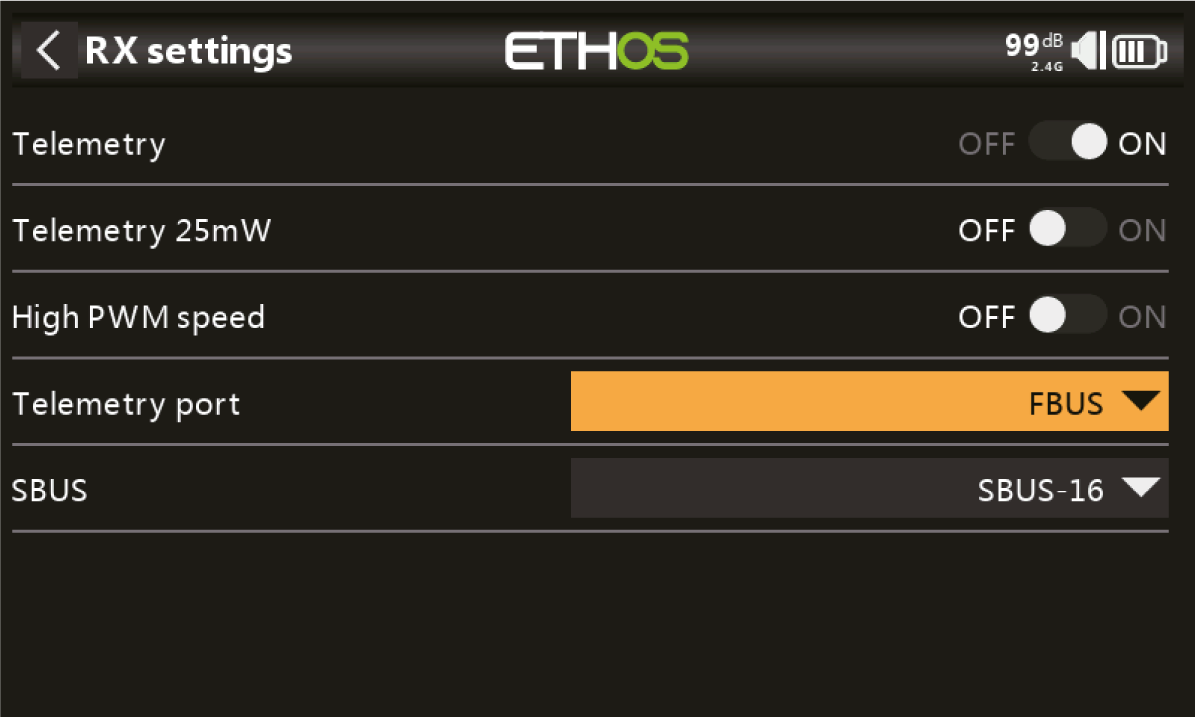
- Set the receiver telemetry connection to FBUS. (Fig. 4) The internal receiver communicates with the flight controller through a UART.
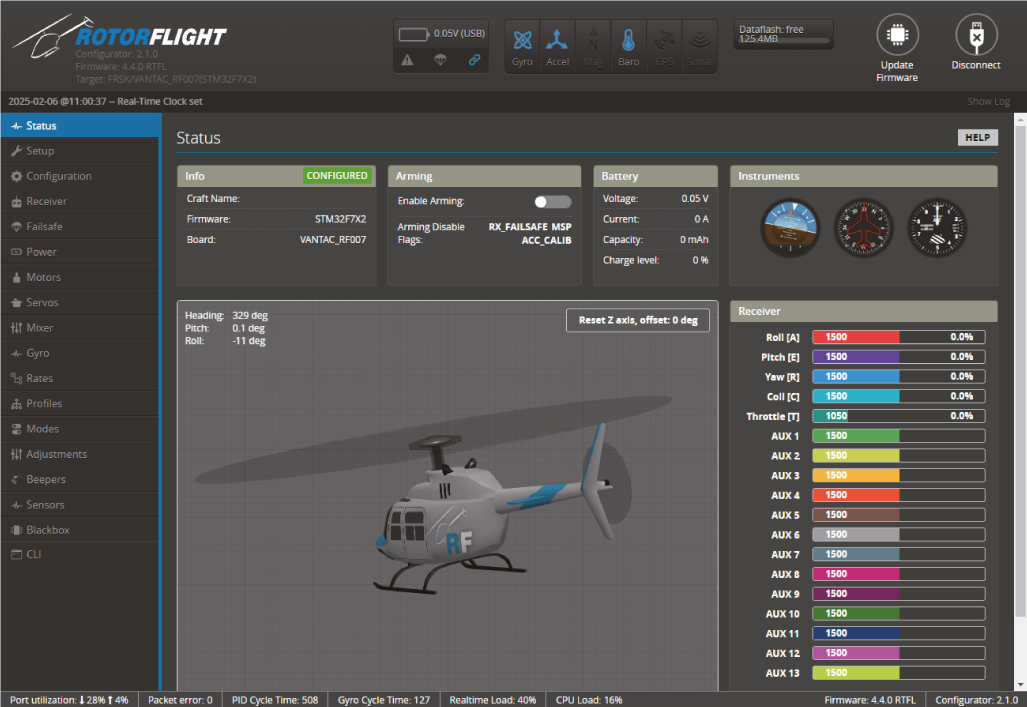
- Configure and verify the helicopter in Rotorflight Configurator, including controller orientation, receiver channels, servo type and frequency, mixer geometry, throttle, arming and fail-safe. Follow the Rotorflight setup documentation for the installed firmware.
Access Rotorflight Lua on an ETHOS radio
- Check the ETHOS, Rotorflight and Lua release compatibility notes before installation.
- Download the desired Lua release archive (Fig. 5) from the links under Field Programming and Tuning with ETHOS Lua.
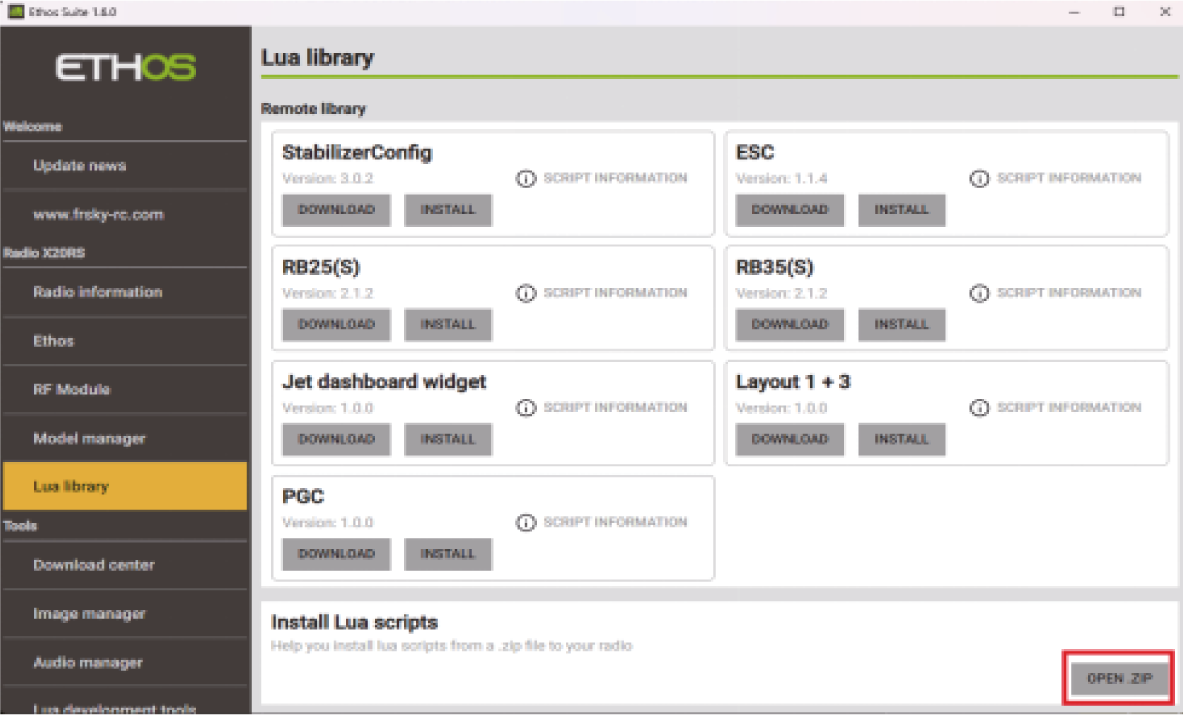
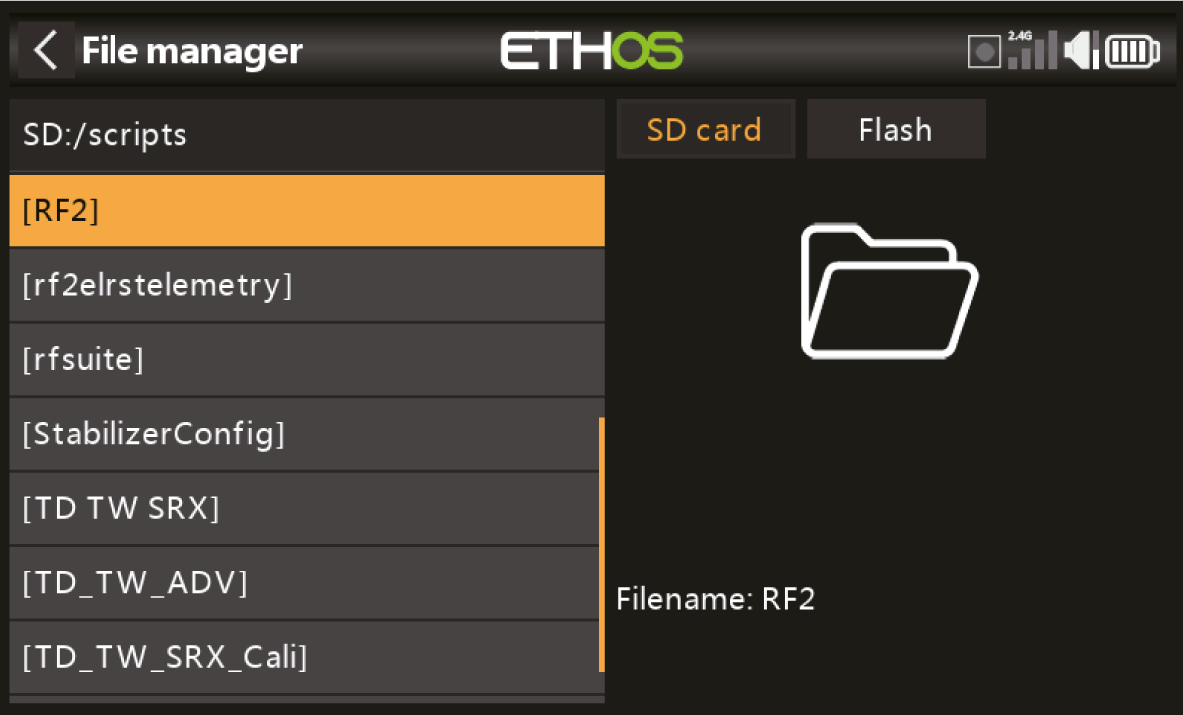
- Install it through ETHOS Suite (Fig. 6), or extract it and copy the provided script folder (Fig. 7) into the radio's
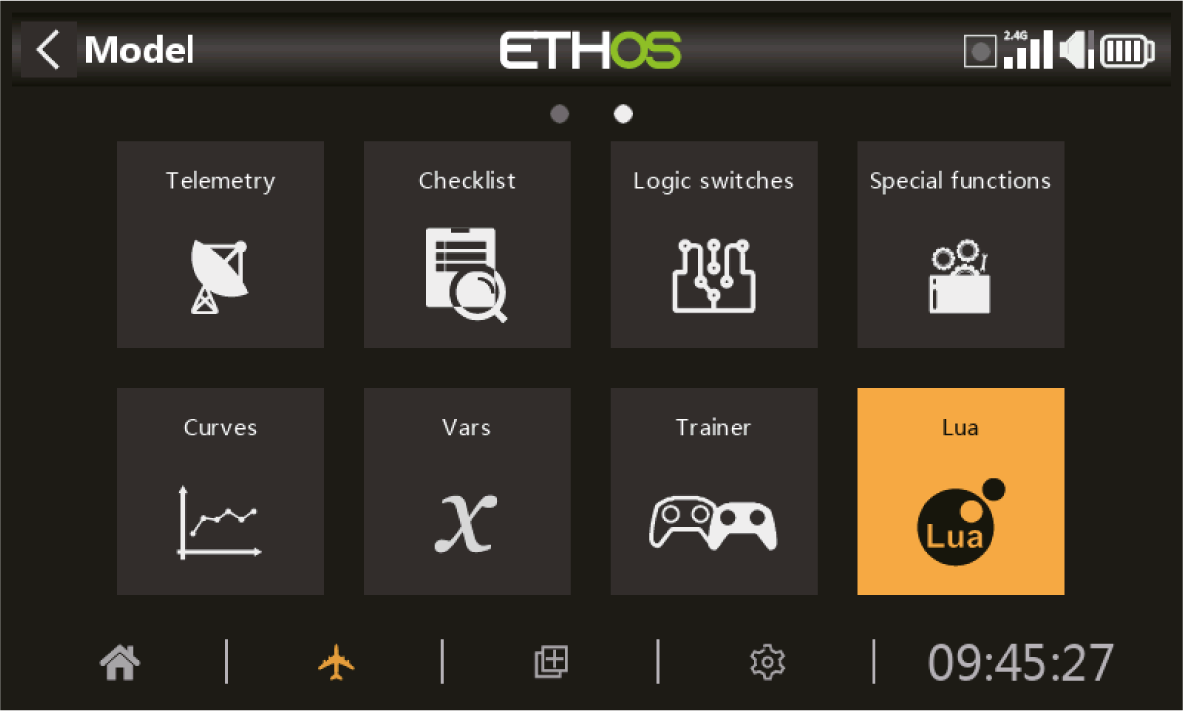
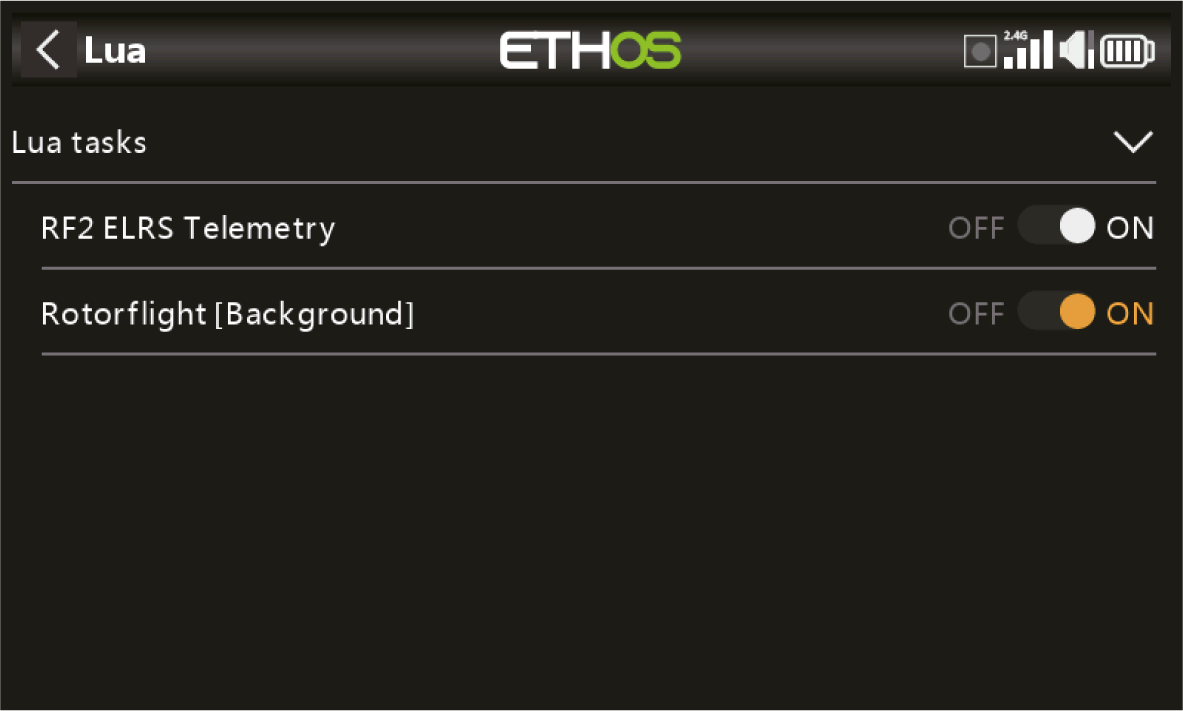
scriptsdirectory as instructed by the release. - Open the ETHOS Lua Tasks menu (Fig. 8) and enable the installed tasks (Fig. 9).
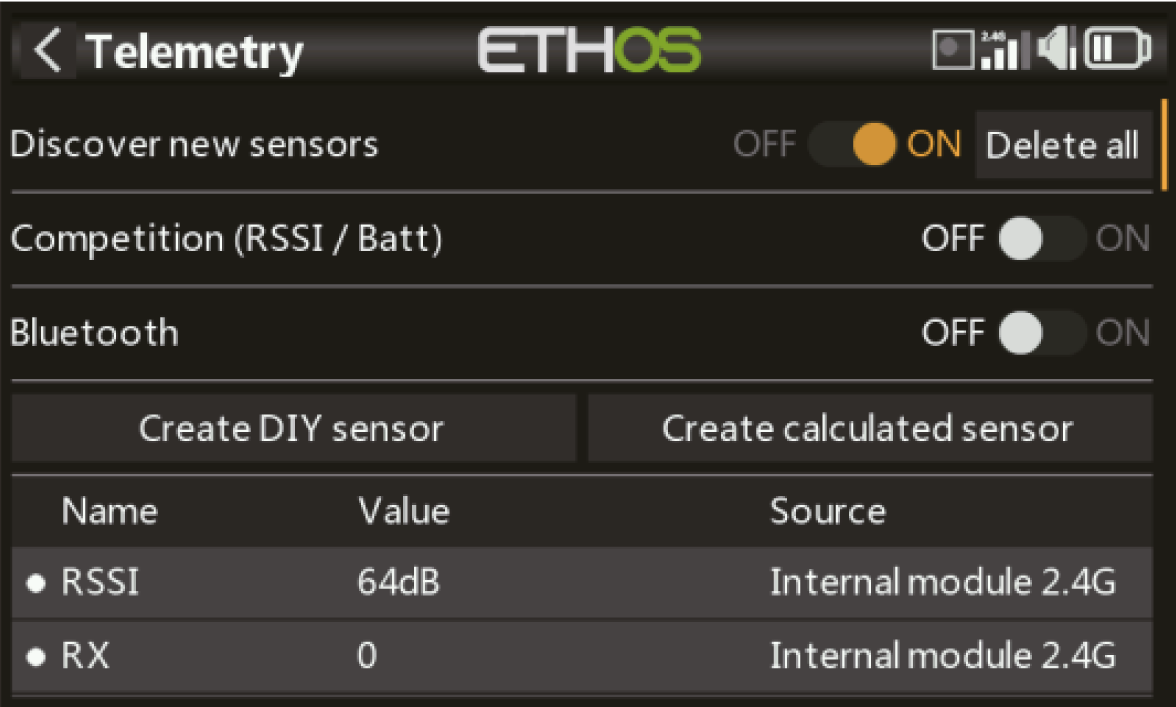
- Power the receiver/controller and discover its telemetry sensors. (Fig. 10)
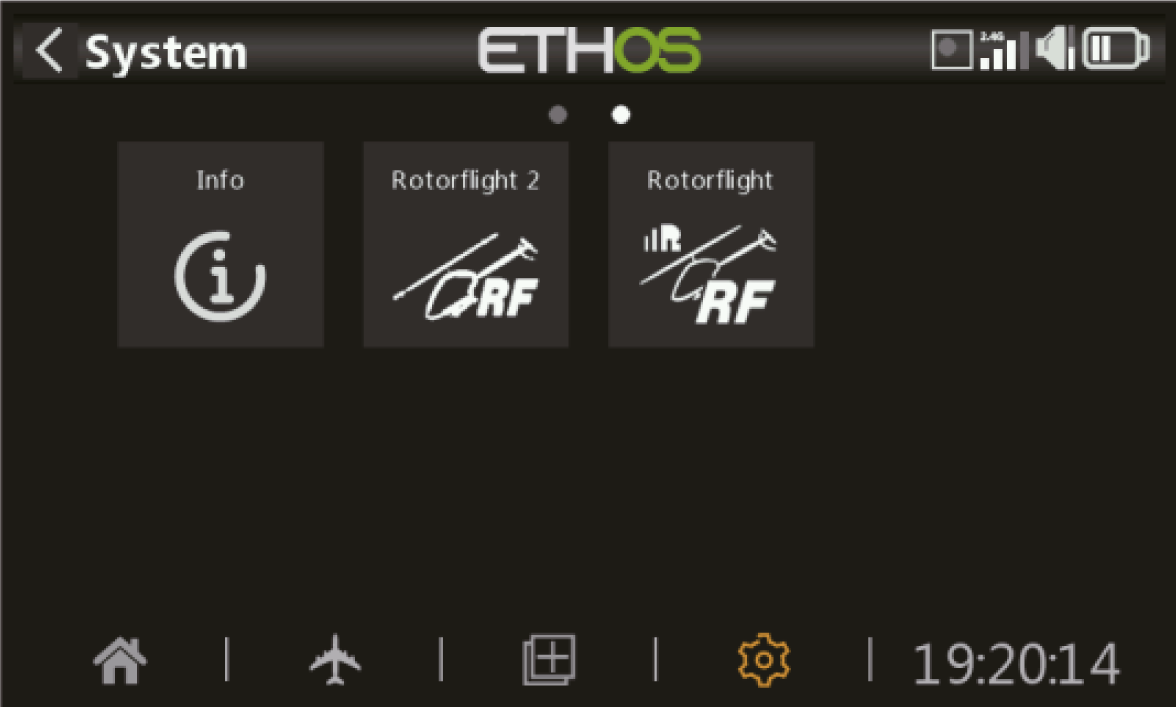
- Open System and launch the Rotorflight Lua tool. (Fig. 11) Confirm that communication works before adjusting settings.
How to flash/update the FC Firmware
To update, modify, or reinstall the FC firmware, please follow the detailed instructions on the Rotorflight Wiki: https://www.rotorflight.org/docs/setup/flashing-the-firmware.
Install the Rotorflight Configurator release compatible with the firmware you intend to use. This walk-through uses Windows, but it should also work on Linux or macOS.
Install Drivers: On Windows, install the STM USB VCP Drivers from the links on the Rotorflight Configurator page.
If there are issues connecting to the flight controller, download the ImpulseRC Driver Fixer (Fig. 13). (https://impulserc.com/pages/downloads)
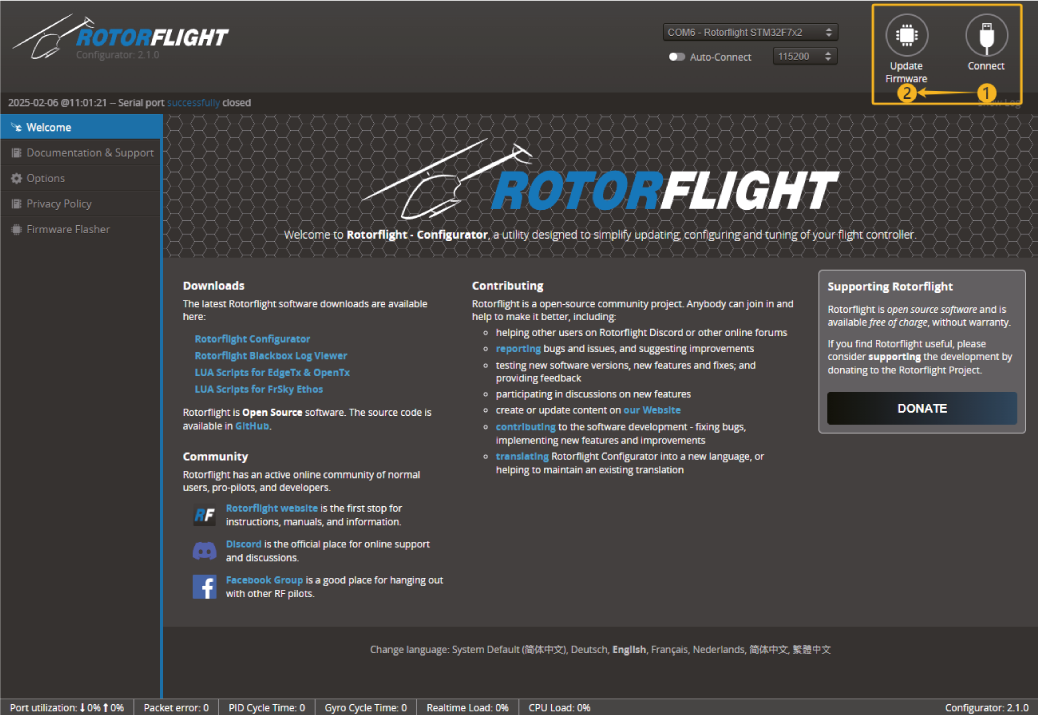
Flash Firmware to FC: Connect the FC to your computer with a USB data cable. Now you are ready to install the Rotorflight firmware to your FC. Open Rotorflight Configurator (Fig. 12) and click Update Firmware (Fig. 14).
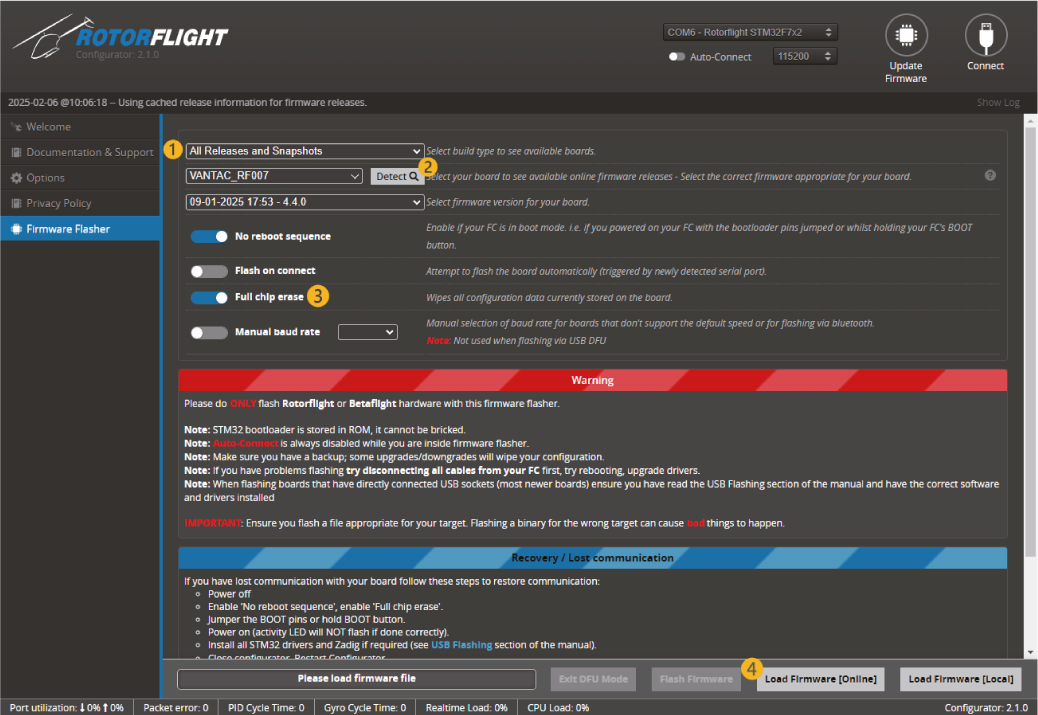
- Select Releases for normal use. All releases and snapshots also includes development/test builds, which can contain bugs.
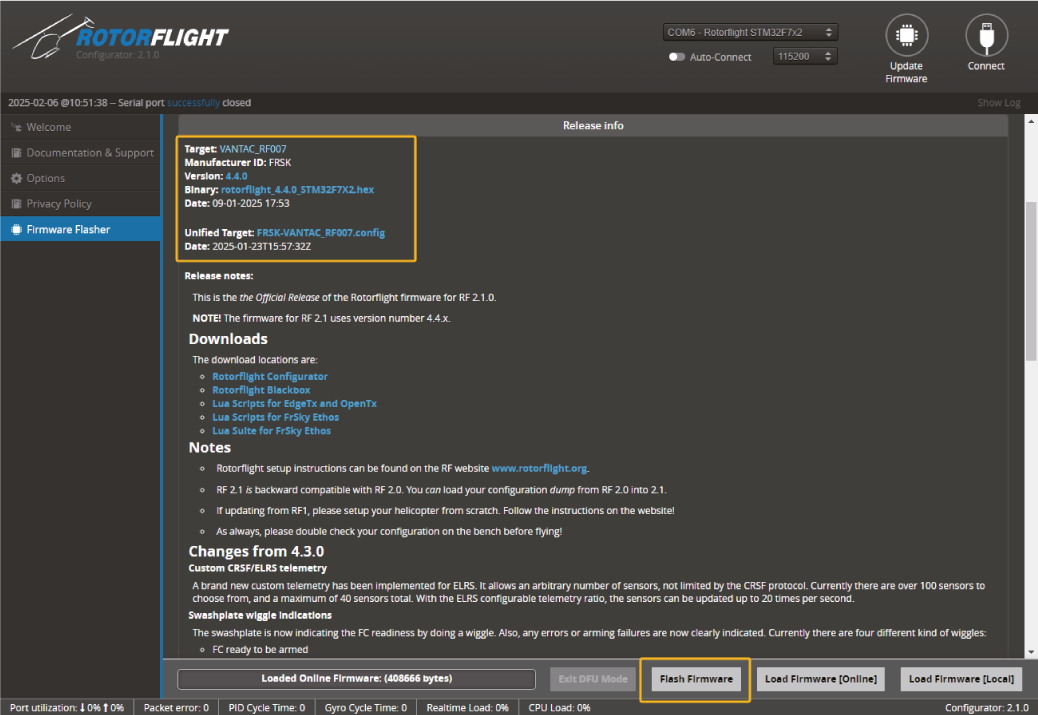
- Use Detect, then verify that the detected firmware target matches the RF007 hardware. The current Rotorflight RF007 documentation specifies VANTAC_RF007; check the target required by your selected release. Do not copy a different example target from a screenshot.
- Back up the current configuration, then select Full chip erase. This deletes all previous settings. Restore or apply the correct board configuration after flashing, following the instructions for that Rotorflight release.
- Select Load firmware [online]. (Fig. 15)
If the online firmware download fails, first check the internet connection, release availability and selected target. DFU mode is for bootloader or flashing-connection problems: disconnect power, hold the FC BOOT button and reconnect the USB cable. Follow the Rotorflight flashing troubleshooting instructions.
- Check and confirm the target board.
- Select Flash Firmware. (Fig. 16)
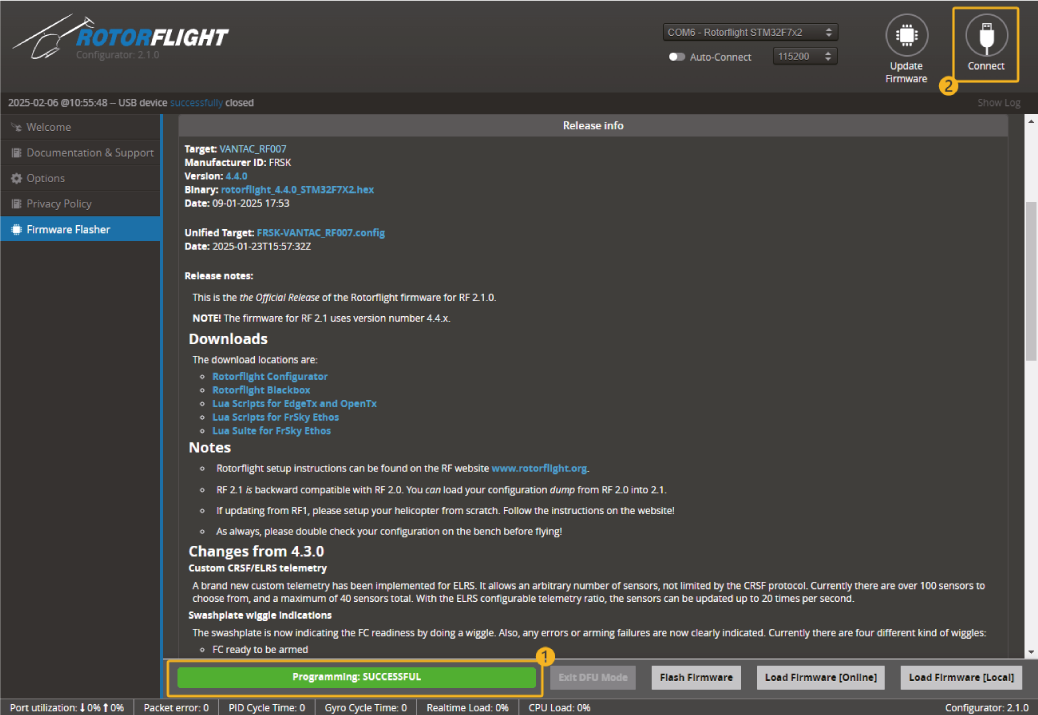
- After successful programming, select Connect (Fig. 17), restore the appropriate configuration and repeat all setup checks before reconnecting the motor.
Configuration screenshots
These original illustrations show older Rotorflight and ETHOS versions. Menu locations may differ. Select the release and firmware target for your own hardware; do not copy the example target shown in a screenshot.

Appendix
Warranty and post-warranty service
All FrSky products are covered by a 2-year warranty covering all manufacturing defects and faults. When making a claim within the warranty period, please always present a copy of the proof of purchase with the product and provide the service personnel with as detailed and complete information as possible about the defect found, your usage and other information that will facilitate the assessment of the claim and speed up its settlement. Please make your claim at the shop where you purchased the product.
This warranty certificate entitles you to a free warranty repair of the product supplied by KAVAN Europe s.r.o. within a period of 24 months. The warranty does not cover natural wear and tear due to normal use, as this is a product for modelling use, where the individual parts operate under much higher loads than normal toys are subjected to.
The warranty also does not cover any part of the equipment that has been improperly installed, roughly or improperly handled, or damaged in an accident, or any part of the equipment that has been repaired or altered by an unauthorised person (this includes the application of any waterproof sprays/coatings by the user). Like other fine electronics products, do not expose this equipment to high temperatures, low temperatures, moisture, dusty environments, violent mechanical shocks and impacts. Do not leave it in direct sunlight for extended periods of time.
Improper installation includes inadequate mounting, mechanical strain on cables and insufficient cooling.
Please claim warranty repairs from the shop where you purchased the product.
If possible, use the original packaging when returning the product for service. Include a dated description of its use and the fault, together with your full address and telephone number.
Recycling (European Union)
Electrical equipment bearing the crossed-out bin symbol must not be disposed of in normal household waste. Instead, it must be taken to a specialised collection and recycling facility. In EU (European Union) countries, electrical equipment must not be disposed of in normal household waste (WEEE - Waste of Electrical and Electronic Equipment, Directive 2012/19/EU). You can take unwanted equipment to your nearest collection or recycling centre. The equipment will then be disposed of or recycled safely, free of charge. By handing in your unwanted equipment, you can make an important contribution to protecting the environment.
EU Declaration of Conformity
FrSky Electronic Co., Ltd hereby declares that the flight controller RF007 Vantac and other equipment supplied with it are in compliance with Directive 2014/53/EU. The full text of the EU Declaration of Conformity is available at the following website: https://www.kavanrc.com/doc. This 2.4 GHz radio equipment can be used without prior registration or individual approval in all countries of the European Union.