RadioLink RC8P - Instruction manual
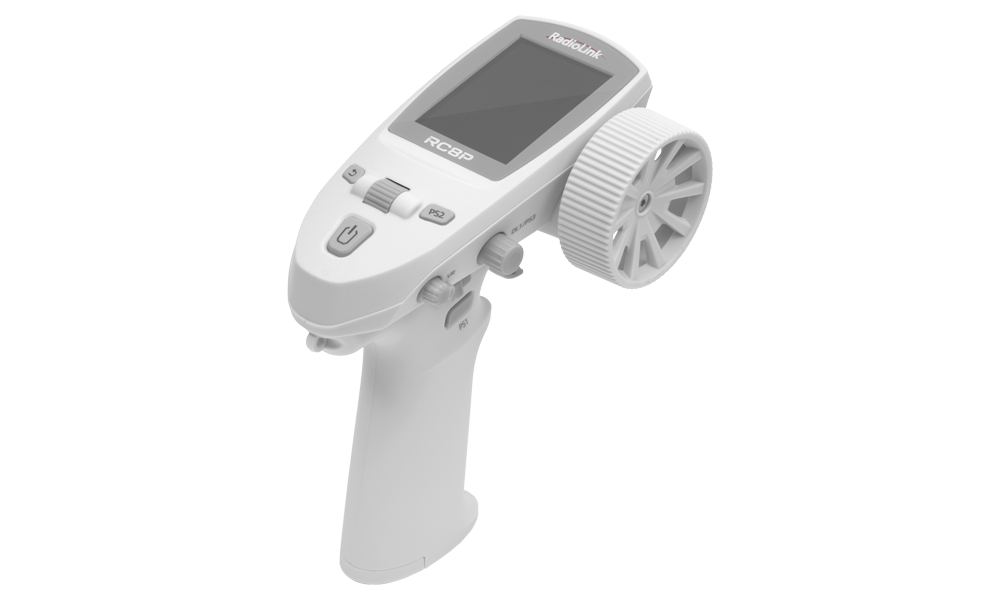
RadioLink RC8P (white) + R8FG
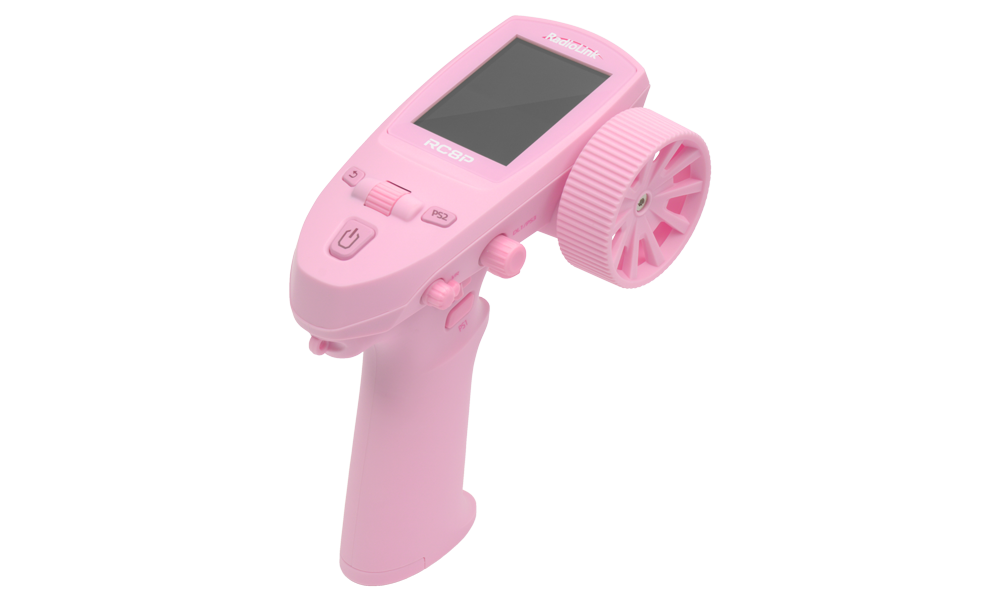
RadioLink RC8P (pink) + R8FG
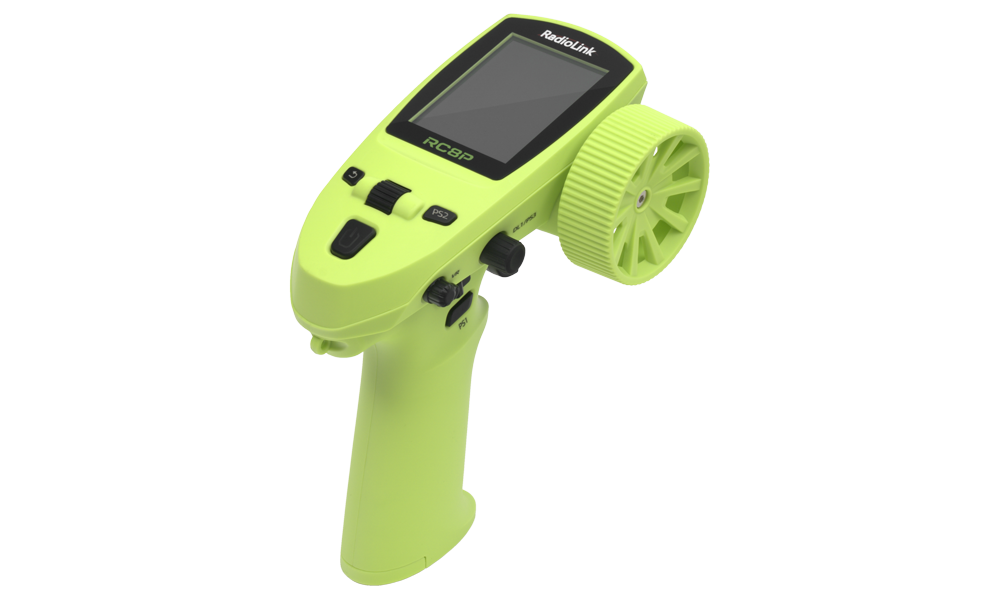
RadioLink RC8P (green) + R8FG
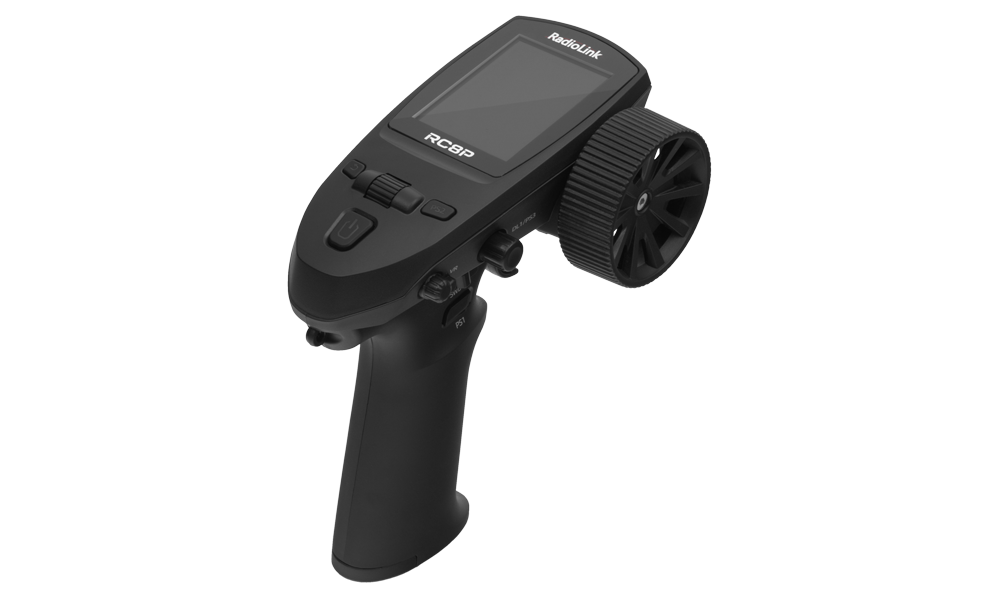
RadioLink RC8P (black) + R8FG
Introduction
The RadioLink RC8P is a compact steering-wheel transmitter for RC cars, crawlers, tracked vehicles, boats and robots. It provides 8 proportional channels, 30 model memories, telemetry, configurable voice announcements and wired or wireless trainer operation. The standard set includes an R8FG receiver with steering gyro and model-battery voltage telemetry.
For receiver installation, hardware revisions, output modes and telemetry wiring, see the RadioLink R8FG receiver manual.
Safety notes and warnings
This product is not a toy and is not suitable for children under 14. Incorrect operation can cause an uncontrolled model and serious injury. Read this manual and the instructions for the model, receiver, servos, speed controller and batteries before use.
- Operate away from people and roads, with a clear view of the model. Follow local operating restrictions. Do not operate in rain, through puddles, or when visibility is poor.
- Keep the throttle at neutral when switching on. Switch on the transmitter before the model. Stop the motor, switch off the model and receiver, then switch off the transmitter.
- During binding, programming, calibration and firmware work, disconnect or otherwise safely disable the drive. Keep wheels, propellers and moving mechanisms clear of people and objects.
- Before every run, check the selected model memory, channel directions, travel limits, gyro correction, battery condition, radio link and failsafe operation. Stop promptly after a low-voltage or weak-signal warning.
- Protect the transmitter from water, dust, impacts and excessive heat. The receiver’s IPX4 rating means splash resistance; it does not permit immersion or make the complete model waterproof.
- Use an undamaged, compatible rechargeable 18650 cell. Observe polarity. Never short-circuit, crush, dismantle or heat the cell. Charge under supervision away from combustible materials and follow the battery’s temperature limits.
- Remove the transmitter battery for prolonged storage. Disconnect the model’s battery after use; do not leave a powered model unattended.
The RC8P USB-C input is 5 V, 500 mA. Never apply more than 5 V to this port. The supplied R8FG receiver has a separate 3–12 V supply limit. Its TELEMETRY port is a voltage-sensing input, not a receiver power input.
Transmitter specifications
| Dimensions | 147.5×124.5×80 mm |
|---|---|
| Weight | 193 g (including battery) |
| Battery | 1× rechargeable 18650 cell, 2500 mAh |
| Battery compartment | 18×65 mm |
| Operating voltage | 3.4–4.2 V DC |
| Operating current | 230 ± 15 mA at 4.2 V |
| USB-C input | 5 V, 500 mA |
| Antenna | Internal |
| Frequency band | 2400–2483.5 MHz |
| Modulation and hopping | GFSK; FHSS with 67 hopping frequencies |
| RF output power | <100 mW (20 dBm) |
| Channel bandwidth / spacing | 400 kHz / 1200 kHz |
| Data rate | 38 kb/s |
| Reception sensitivity | −104 dBm |
| PWM range | 875–2125 µs |
| Channels | 8 proportional channels with assignable controls |
| Adjacent-channel rejection | >36 dBm |
| Frame cycle | 15 ms per frame |
| Resolution | FHSS V1: 2048; FHSS V2: 4096; stated jitter 0.25 µs |
| Selectable servo signal period | 14 ms; 4 ms or 3 ms with compatible receiver and servos |
| Model memories / Sub IDs | 30 / 16 |
| Display | 2.4" colour LCD, 320×240 px, 16-bit colour |
| Operating system | FreeRTOS with LVGL interface |
| Interfaces | PWM and SBUS through a compatible receiver; PPM trainer via USB-C |
| Telemetry warnings | Transmitter voltage, receiver voltage, model-battery voltage and RSSI |
| Trainer / simulator | Wired or wireless trainer with suitable accessories; USB simulator connection |
| Range | Up to 600 m (unobstructed, interference-free ground test) |
| Operating temperature | (−30)–85 °C |
Actual range depends on installation and surroundings. Observe the limits of the battery and every connected component, even when these are narrower than the transmitter’s stated limits. See the source clarifications for specifications requiring confirmation.
Receiver specifications and compatibility
| Parameter | R8FG |
|---|---|
| Dimensions / weight | 35×24×13.5 mm / 10.5 g |
| Antenna length | 205 mm |
| Supply voltage / current | 3–12 V / 35 mA at 5 V, receiver only |
| Channels / outputs | 8; PWM on CH1–CH7, PWM or SBUS on CH8 |
| Radio system | 2400–2483.5 MHz, FHSS with 67 hopping frequencies |
| Resolution | Up to 4096; manufacturer states 0.25 µs per step |
| Servo signal period | 14 ms; 3 ms and 4 ms require R8FG V2.1 |
| Telemetry | Receiver voltage, RSSI and external model-battery voltage |
| Telemetry input | 2–8S battery monitoring, maximum 33.6 V; sensing only |
| Gyro / protection | Adjustable steering gyro / IPX4 splash resistance |
| Tested ground range | Up to 600 m under the conditions stated above |
RC8P-compatible receivers are:
- R8FG
- R16F
- R16SM
- R12F
- R12FL
- R8FGH
- R8EF
- R8FM
- R8SM
- R8XM
- R7FG
- R6FG
- R6F
- R4FGM.
Their outputs and features differ; an 8-channel transmitter does not gain extra control channels by using a receiver with more outputs. Select the correct RF protocol before binding.
Set contents
- RC8P transmitter
- R8FG receiver
- Rechargeable 18650 cell
- Model voltage telemetry cable
- Neck strap
- USB-C cable
- 2.0mm hex key
- Instruction manual
Controls and connections

| Control | Function |
|---|---|
| Steering wheel, ST | Proportional steering input |
| Throttle trigger, TH | Proportional throttle and brake input |
| SWA, SWB | Three-position switches |
| PS1, PS2 | Pushbuttons with configurable switching behaviour |
| DL1 / PS3 | Rotary encoder with pushbutton function |
| VR | Rotary proportional control |
| Scroll key | Rotate to select or adjust; press to open a menu or confirm |
| Return / Exit | Return or exit; from the home screen, open MONITOR |
| Power | Hold to switch on/off; short press in a settings menu opens MONITOR, press again to return |
| USB-C | Charging, temporary power, computer data transfer, firmware update, simulator and compatible PPM trainer connection |
| Other parts | Colour screen, speaker, strap attachment points, battery compartment and steering-wheel retaining screw |
Main section
Prepare and charge the transmitter

- Switch off the transmitter and disconnect USB power. Slide the battery cover in the direction of the arrow mark and pop it open.
- Insert the 18650 cell with its positive end facing outward towards the cover at the bottom of the handle. Check the polarity markings. Press the cover down and slide it closed.
- Connect the supplied USB-C cable to a suitable 5V supply, such as an main adaptor, computer or a powerbank. The power-button indicator is red while charging and blue when fully charged.
- Disconnect the charging cable after charging. With USB connected but no battery installed, alternating long blue and short red flashes indicate the absence of the battery.
Stop using the transmitter at the low-battery warning and bring the model to a safe stop. The default warning is 3.6 V, but at the default shutdown threshold of 3.3 V the transmitter switches off automatically and radio control is lost. Do not use the shutdown threshold as the normal end of a run.
First power-on and menu operation

- Keep the model switched off and the throttle trigger at neutral. Hold Power to switch on the transmitter.
- Press Scroll to enter the menu. Rotate the scroll key to highlight a setting, press it to select, rotate to change the value and press again to confirm. Use Return to go back.
- Open SYSTEM SETTING → LANGUAGE and choose the desired language. On a Chinese screen, select 系统设置, then 语言:中文, and change it to English if following this manual’s menu names.
- Select a model memory in MODEL and give it an identifiable name. Check it again before powering the receiver.
- Use MONITOR to check the channel outputs. From the home screen press Return; from a settings menu briefly press Power, then press it again to return.
Install and connect the receiver

Mount the receiver securely with vibration protection, clear of heat, water and moving parts. Keep the two active antenna sections straight, separated and at 90° to one another. Use different orientations, with one active section upright rather than placing both flat against the ground. On a large model, position them on opposite sides where metal would otherwise screen reception. Keep them at least 13 mm from metal and carbon fibre, and away from the motor, ESC and other interference sources. Do not bend, cut or strain the antenna cables.
The grey part is coaxial feed cable. The transparent end section, approximately 4–5 cm long, is the active antenna. Replace a damaged antenna before operating. A suitable protective bag or enclosure can reduce dust and moisture exposure, but must not cause overheating or be treated as permission to immerse the receiver.
- With the model battery disconnected, connect the steering servo to CH1 and the ESC signal lead or throttle servo to CH2. Connect auxiliary equipment to the appropriate remaining channels.
- Match each plug to the receiver markings: white or yellow = signal, red = positive supply, black or brown = negative/ground. The centre positive pin carries the receiver supply; do not assume it is always regulated to 5 V.
- Supply the receiver from a suitable ESC BEC or receiver battery within 3–12 V, and within the voltage ratings of all servos and accessories. Avoid connecting independent power supplies together unless their instructions explicitly permit it.
- Keep a normal PWM servo off CH8 when that port is configured as SBUS. Select the required receiver mode.
Receiver reverse-polarity protection does not protect connected servos. Check every plug before applying power. Never connect a drive battery above the receiver’s supply rating to a channel power pin.
Connect model-battery telemetry

- Keep the drive battery disconnected. Fit the supplied voltage-sensing harness between the battery and ESC: the harness’s male connector goes to the ESC and its female connector to the battery, as shown in the original wiring diagram. Check compatibility and polarity before mating connectors.
- Connect the small sensing plug to TELEMETRY +/−, matching positive and negative. This input monitors a 2–8S battery up to 33.6 V. It does not power the receiver.
- After binding, check EXT Vol on the transmitter. Receiver voltage and RSSI are reported separately. Set a suitable model-battery warning in ALARM → EXT VOLT for the battery chemistry, cell count and model.
The TELEMETRY input has no reverse-polarity protection. The 33.6 V sensing limit does not apply to the receiver’s power pins. Firmware V1.0.4 expanded receiver-voltage reporting to 25.5 V; it did not increase the R8FG’s 12 V maximum supply.
Bind the transmitter and receiver
The supplied pair is normally bound at the factory. Bind a replacement receiver, or bind again after changing RF protocol.
- Disable the drive. Select the correct model, RF SETTING → PROTOCOL, and, if used, the required Sub ID before binding.
- Place the transmitter and receiver about 60 cm apart. Very close spacing can cause signal blocking and failed binding.
- Switch on the transmitter, then the receiver. An unbound R8FG flashes slowly.
- Hold the receiver’s ID SET button for more than 1 s, then release it. Rapid flashing indicates binding is in progress.
- A steady receiver LED and signal icon on the transmitter indicate a connection. If the LED continues flashing slowly, check the protocol, power supply and spacing, then repeat.
- Verify every control, telemetry reading and failsafe response before enabling the drive.
Older receivers such as R7FG and R6FG require FHSS V1. Use the compatibility table in RF SETTING. Not every RadioLink receiver uses the same protocol.
R8FG output modes and gyro
| Mode | LED colour | CH1–CH7 | CH8 |
|---|---|---|---|
| PWM | Green | PWM | PWM |
| PWM + SBUS | Blue | PWM | SBUS |
| PWM + gyro | Red | PWM | PWM |
| PWM + SBUS + gyro | Red and blue together, appearing purple | PWM | SBUS |
With the receiver powered and bound:
- Press ID SET once briefly to toggle SBUS on CH8.
- Press ID SET 3 times within 2 s, with less than 1 s between presses, to toggle the gyro. The red LED flashes 3 times to acknowledge the gyro command.
- Press ID SET twice within 2 s to reverse the gyro correction direction; the red LED flashes twice.
The gyro is off by default. Keep the receiver still during power-on self-check. Enable it only after normal steering direction and travel have been set.
- Secure the model with the drive disabled. Enable the gyro and set a modest gain in GYRO.
- Turn the vehicle’s nose to the right by hand: the front wheels must correct to the left. Turn the nose left: the wheels must correct right.
- If correction reinforces the movement, reverse the gyro using the receiver button and repeat the check. Gyro direction is a separate check from transmitter servo reversing.
- Adjust gain for stable steering. Correction while moving the model is normal; persistent oscillation while stationary is not. Reduce gain and check that the servo is connected to a PWM output.
Do not drive with reversed gyro correction or uncontrolled steering oscillation. Check the direction again after changing servo reversing, linkage geometry or receiver installation.
Check the radio link and prepare for a run

- With the drive disabled, power the transmitter and receiver and confirm the signal icon and live RSSI reading.
- For the the short-distance RSSI check, place them about 60 cm apart with the transmitter upright and receiver antennas arranged as illustrated. Expected range in this setup is −30 to 0 dBm. Values closer to 0 indicate a stronger signal.
- If reception is abnormal, inspect antennas and installation, move away from interference and, where possible, compare with a known working compatible receiver. Do not operate with an unresolved link fault.
- Verify steering, throttle neutral, braking, auxiliary functions, end points, gyro and failsafe. Check the behaviour of every switch and active condition.
- Perform a controlled range and function check appropriate to the model before normal use. The 60cm bench check is not a guarantee of full operating range.
- Begin at low speed in a clear area. At the end, stop the motor, switch off and disconnect the model, then hold Power to switch off the transmitter.
Menu reference
For a new model, set MODEL, RF SETTING, AUX CH, REVERSE, TRIMS, END POINTS, ALARM and FAIL SAFE before adding curves, mixes or automation. Watch MONITOR and the actual mechanism while checking settings with the drive disabled.
Where a function offers SWITCH or SW, OFF disables it, ON keeps it enabled and a switch assignment activates it in the selected position. The usual choices are SWA, SWB, PS1, PS2 and PS3. SWITCH STATUS or MIX STATUS shows whether the function is active.
System Setting
| Setting | Purpose and values |
|---|---|
| LANGUAGE | Chinese, English, German, French, Russian or Japanese |
| VOLUME | 0 %, 25 %, 50 %, 75 % or 100 %; 0 % mutes sound |
| BATTERY ALARM | Transmitter low-voltage warning; default 3.6 V |
| PWR OFF | Automatic low-voltage shutdown; default 3.3 V |
| VOLT ADJ | Correct displayed battery voltage against a trustworthy measurement; stated range −5 to +5 V |
| BRIGHTNESS | 10–100 % |
| IDLE ALARM | Reminder after inactivity; maximum interval 1 h |
| BACKLIGHT TIME | Backlight timeout up to 1 h; NULL keeps the display lit |
| AUTO SHUTDOWN | Inactivity shutdown up to 1 h; NULL disables this timeout |
| BOOT ANIMATION | Enable or disable the startup animation |
| SYSTEM RESET | Reset system settings except LANGUAGE |
| FACTORY RESET | Reset system settings and every model memory except LANGUAGE; confirm Yes and allow about 1 min |
FACTORY RESET erases all model settings. Record or back up important settings first. Use MODEL → RESET to reset only the selected model. Do not change voltage calibration to conceal a low battery, and select inactivity settings that cannot interrupt model operation. Muting sound also removes audible warnings.
Model
Select one of 30 model memories. RENAME changes its name; RESET returns that model to its defaults.
To duplicate a setup, select the source model and choose COPY, select the destination and choose PASTE. Pasting replaces the destination setup and copies the source name, so rename the new memory immediately. Verify the selected receiver, controls and failsafe before operating the copied model.
Reverse
Select the channel and press Scroll to reverse its output direction. Check each mechanism with the drive disabled. After reversing throttle or steering, recheck neutral, end points, ESC calibration where required, gyro correction and failsafe.
Aux CH
Assign a control to each of CH1–CH8. Available sources are ST, TH, SWA, SWB, VR, PS1, PS2, PS3 and DL1. NULL means no control is assigned. Verify assignments in MONITOR before connecting a mechanism.
SW Audio
Assign voice messages to positions of SWA, SWB, PS1, PS2, PS3 and TH. Use these to announce the actual function of a switch. For personal recordings, follow custom switch announcements, then select the copied file in this menu.
End Points
Set the two travel limits of each channel independently, from 0 to 120. Adjust them so the mechanism reaches its required positions without forcing a servo against a mechanical stop. Check both steering directions and both throttle/brake limits. End-point adjustment changes available travel; it does not replace correct linkage geometry.
RF Setting
Select PROTOCOL and, with FHSS V2, SERVO SPEED.
| Protocol | Resolution | Servo signal period | Receivers listed for RC8P |
|---|---|---|---|
| FHSS V1 | 2048 | 14 ms | All RC8P-compatible receivers listed above |
| FHSS V2 | 4096 | 14 ms, 4 ms or 3 ms | R16F, R16SM, R12F, R12FL, R8FGH; R8FG and R4FGM V2.1 or later, or production dated 26 April 2023 or later |
Rebind after changing protocol. Use 14 ms for analogue servos. Select 4 ms or 3 ms only when every affected servo and the receiver support that signal period; being a digital servo alone is not sufficient evidence of compatibility.
An unsupported fast signal can cause malfunction or damage. If the receiver revision or servo rating is unknown, retain 14 ms and confirm compatibility before changing it.
Sub ID
With Sub ID disabled, several bound receivers can respond simultaneously. With it enabled, 16 Sub IDs allow selection of a particular receiver while the others remain on standby.
- Enable Sub ID, choose the intended ID, then bind and configure that receiver. Repeat separately for each intended receiver/ID.
- Select the required ID before operating. The current ID appears in the top bar; trainer, condition and Sub ID indications alternate when several are active.
- Before switching between powered models, stop them and verify the inactive model remains safe. Do not assume model-memory selection alone prevents other bound receivers from responding.
Alarm
Enable ALARM ENABLE and set the limits for the installation: RX VOLT defaults to 3.6 V, EXT VOLT to 6.6 V, and RSSI to −80 dBm. Low voltage or a weak signal reaching the selected threshold triggers the warning. These are defaults, not universal safe values for every battery or model. Transmitter battery warnings are configured separately in SYSTEM SETTING.
Trims
Correct small neutral-position errors for each channel. The default is 0, with adjustment from −100 to +100. Set DL to the required channel if DL1 is to adjust that channel’s trim directly. Centre the mechanism mechanically first and recheck travel after trimming.
Fail-Safe
Set the required outputs when the receiver loses the transmitter signal. The available range is −120 to +120. RadioLink gives 0 as the default for steering CH1 and throttle CH2, describing throttle as stopping and steering as holding its last position. This wording does not establish whether a particular receiver sends a neutral pulse, suppresses pulses or holds a previous command; verify the actual response of your receiver and ESC.
A nonzero throttle failsafe can command continued forward or reverse movement after signal loss. Set and test a response that stops the model safely. Never rely on the displayed value alone.
- Secure the model and disable the drive so it cannot move or injure anyone. Keep receiver power on and set the required failsafe values.
- To simulate signal loss, switch off the transmitter only for this controlled test. Observe steering and throttle/ESC behaviour and verify the intended safe response.
- Restore the transmitter connection and check control recovery. If the outcome is unsafe or unclear, do not operate; correct the configuration or obtain technical support.
- Repeat after binding, changing receivers, reversing channels, copying/resetting a model or updating firmware. During normal shutdown always switch off the model first.
CH Speed
Slow the movement of individual outputs, for example a crane boom. 0 s means no added delay; the maximum 10 s is the time from minimum to maximum output. Use the common SWITCH assignment to enable it. Verify that delays do not prevent timely steering, braking or emergency stopping.
Channel hold
Select the channel CH1–CH8, an activation switch and a HOLD value from −100 to +100. When active, the output immediately takes this fixed value regardless of the control’s position; the channel bar displays it. SWITCH STATUS indicates activation.
Holding throttle on CH2 acts as a fixed throttle command and can keep the model moving with the trigger released. It is not a measured-speed regulator. Test a readily accessible release switch with the drive disabled before using this function.
Conditions
Store 3 operating conditions in a model and assign SWA or SWB positions to COND 1, COND 2 and COND 3. If several conditions are selected, priority is 3 → 2 → 1.
Enable each setting that should vary by condition: GYRO, END POINTS, BRAKE CURVE, RF SETTING, STEERING CURVE, TH SPEED, ABS and THROTTLE CURVE. A setting left disabled in this list will not change with the condition switch. The selected condition is shown in the top bar.
For three throttle curves, assign COND 1 to SWA↑, COND 2 to the middle position and COND 3 to SWA↓. Enable THROTTLE CURVE in CONDITIONS. In the throttle-curve menu, place SWA in each position and configure its curve separately. Check all three outputs with the drive disabled before use.
Gyro
First enable the gyro on a compatible receiver and verify its correction direction. SOURCE selects the scroll encoder, VR or DL1 for gain adjustment. RATE is 0–100 %: 0 % produces no correction and 100 % is maximum gain.
This menu requires a gyro-equipped FHSS V2 receiver such as R8FGH or a supported R8FG/R4FGM revision. It does not control gyro gain on FHSS V1 receivers such as R7FG or R6FG. For those, the RC8P manual specifies CH8 end points of 120 on both sides, with VR or DL1 assigned to CH8 in AUX CH. Check the particular receiver’s instructions and actual gain response before use.
Steering Curve
Use the common SWITCH assignment to enable the steering curve. EXP ranges from −100 to +100: negative values soften response near centre, positive values sharpen it; 0 gives a linear response. Rate scales output from −100 to +100; a value of 50 gives 50 % output, and a negative value reverses direction. Check SWITCH STATUS and the output throughout the wheel’s travel.
Throttle Curve
Choose an activation SWITCH and TYPE:
- EXP: adjustment from −100 to +100. Negative values soften the initial throttle response and increase response towards full throttle; positive values do the reverse. Rate is 0–100, with 50 giving 50 % output.
- CRV: a 5-point curve. Set the output at each marked input position. A linear example is P1 = 0, P2 = 25, P3 = 50, P4 = 75, P5 = 100.
Check SWITCH STATUS, neutral and the complete output curve before running the motor.
Brake Curve
Use the common SWITCH assignment. EXP ranges from −100 to +100: negative values soften initial braking, positive values increase it. Rate, 0–100, scales brake output; 50 gives 50 % output. Check SWITCH STATUS and confirm adequate braking on the actual model.
A.B.S.
This function pulses the brake command to reduce sustained wheel lock. It is not a wheel-speed sensing anti-lock system. Select an activation SWITCH and tune it cautiously for the model and surface.
| Setting | Effect |
|---|---|
| THR RETURN | Brake release amount: 0 gives no pulsing effect, 50 returns halfway towards neutral, 100 returns to neutral; BRAKE CURVE Rate also affects it |
| DELAY | Delay after braking starts: 0 = immediate, 50 ≈ 0.7 s, 100 ≈ 1.4 s |
| CYCLE | Larger values lengthen the interval between brake pulses |
| ON | Trigger position at which pulsing starts |
| RATE | Brake-on time relative to release time: +3 gives more braking time, −3 more release time |
| SWITCH STATUS | Indicates whether A.B.S. is active |
Programmable Mix
Use MIX SELECT to configure 4 independent mixes. Each has its own SWITCH, MASTER input channel and SLAVE channel. LEFT RATE and RIGHT RATE set the mix contribution on either side from −100 to +100. Positive values follow the master direction; negative values reverse it. At 50, the slave’s corresponding contribution is 50 % of the master. MIX STATUS shows activation.
Use mixes for installations such as linked steering or dual motor/ESC control. Check combined outputs and end points with every relevant switch/condition; mixing must not drive a servo past its mechanical limit or defeat a safe throttle stop.
Trainer
Trainer and head-tracking signals use PPM through USB-C with the appropriate RadioLink cable or interface. The SWITCH assignment enables or disables PPM input/output. Choose the mode appropriate to the connection:
- Head track: receive PPM from a compatible head tracker.
- Trainer: RC8P is the instructor transmitter and can take control back from the student.
- Student: RC8P supplies the student control signal.
With the RadioLink wireless trainer cable on the instructor transmitter, POWER = ON supplies the student receiver through the interface; the power-button light turns blue. OFF disables this supply. Follow the interface’s wiring instructions and avoid connecting another power source to a powered output.
CAPTURE displays the incoming CH1 PPM value every 200 ms; -- means no valid input. Move the student transmitter’s CH1 control and adjust MIN, MID and MAX to match its endpoints and neutral. In head-track mode, CAPTURE verifies incoming PPM and helps set MID. These values set the compatible PPM input/output pulse range. The current mode appears in the top bar.
Test transfer of control, channel directions, neutral and immediate instructor takeover with the model’s drive disabled. An ordinary USB charging cable is not a substitute for the specified PPM trainer interface.
Calibration

Calibrate the steering wheel, throttle trigger and VR if their electrical centre or travel is incorrect. Keep the model off or its drive disabled.
- Open CALIBRATION and press Scroll to start.
- Let the wheel and trigger return to neutral and turn VR to its midpoint. Press Scroll to confirm the centre positions.
- Turn the wheel fully both ways and let it return to neutral. Move the trigger to full throttle and full brake, then release it. Turn VR to both end stops without forcing it. Press Scroll to confirm the limits.
- After successful calibration, press Scroll to exit. Verify neutral and full travel in MONITOR, then recheck the model’s setup.
Timer
TYPE = UP counts from 0 and sounds an alarm at TIME. TYPE = DOWN counts from TIME to 0 and then sounds the alarm. ON/OFF starts or stops timing: choose OFF, ON or SWA, SWB, PS1, PS2, PS3, THR. With THR, set THR HOLD: timing runs above this throttle threshold and stops below it. RESET resets the timer; it can be disabled, kept active or assigned to SWA, SWB, PS1, PS2 or PS3.
Sensor Broadcast
Choose SWA, SWB, PS1, PS2 or PS3 to trigger voice telemetry, or OFF to disable it. Enable the readings you want: RSSI, RX Vol, EXT Vol and BAT Vol. A selection dot on the left means off; on the right means on. With the trigger assigned to SWA↑, moving SWA up reads the enabled values in that order. A reading requires a receiver/sensor that supplies it.
Switch Setting
Configure the behaviour of PS1, PS2 and PS3:
- Momentary: one endpoint while pressed, the opposite endpoint after release.
- Latching: successive presses alternate between the two endpoints.
- Three-position: successive presses cycle through one endpoint, centre 0, then the opposite endpoint.
Verify the resulting positions in MONITOR and recheck functions assigned to these buttons.
Light Control
This menu requires the RadioLink R12FL light-control receiver and FHSS V2. It does not turn the standard R8FG into a lighting controller. Connect lights to the designated R12FL outputs according to that receiver’s instructions. Assign SWA, SWB, PS1, PS2 or PS3 to each desired lighting function; NULL leaves it unassigned. For example, assigning hazard lights to SWA↑ activates them in the upper position. Firmware V1.0.3 added double-flash, strobe and breathing effects.
USB simulator operation
Keep the model off. Connect the powered transmitter to a computer using a USB data cable and select/calibrate its inputs in a compatible simulator. RadioLink lists Windows and macOS, with TRYP FPV, AeroFly, Uncrashed, Liftoff, FPV LOGIC and Velocidrone among supported applications. A separate simulator dongle is not required for this USB function; legacy applications such as Phoenix may require their own interface. This is separate from BOOT MODE → USB, which exposes the transmitter’s files for maintenance.
Firmware update

Download firmware only from the official RC8P firmware page. Use a computer and USB data cable; the manufacturer does not support updating from a phone or over Bluetooth. These steps describe the official bootloader procedure.
- Switch off the model. Ensure the transmitter battery is charged and the computer’s USB supply is stable. Record important model settings.
- Download the RC8P ZIP archive and extract it on the computer. The update file is inside Firmware and uses the .mac extension; this is a firmware file, not an instruction to run a Mac application. Some packages also include sounds.
- With the transmitter off, connect USB-C to the computer. Hold Return while holding Power to enter BOOT MODE.
- Select USB with the scroll key and press Scroll. USB MODE appears and the computer detects the transmitter’s removable drive.
- Back up the drive’s contents before changing files, especially personal audio. The reference shows Firmware, model, sounds and sys model folders. Do not format the drive or delete model folders.
- Replace the old firmware file in Firmware with the new RC8P .mac file. If the package includes sounds, first back up custom recordings, replace the supplied sound files and restore the custom files to their original locations, including sounds/USER.
- Wait for copying to finish and safely eject the removable drive on the computer. Keep the USB cable connected. Press Return or Scroll to leave USB MODE.
- In BOOT MODE, select UPG and press Scroll. In Upgrade MODE, select YES and confirm.
- Wait for Firmware upgrade successful!. Do not unplug USB or switch off the transmitter during the progress indication.
- Press Return to exit; the transmitter switches off. Hold Power to restart. Confirm the firmware, selected model, calibration, control outputs, telemetry and failsafe before using a model.
Use firmware specifically labelled RC8P. An interrupted write or wrong firmware can prevent normal operation. A backup of files does not replace recording and rechecking model settings after an update.
Custom switch announcements
Create recordings or text-to-speech files in the desired spoken language. The voice language does not have to match the menu language.
| Audio property | Required setting |
|---|---|
| File format | WAV |
| Sample rate | 16 kHz recommended |
| Channels | Mono |
| Bit depth | 16-bit |
| Metadata | Do not include markers or other metadata |
| Destination on transmitter | sounds/USER |
- Record or generate the message, then export it with the required settings in an audio editor such as Audacity. Merely renaming another format to .wav does not convert it.
- Give each file a recognisable name.
- With the transmitter off, connect it to the computer. Hold Return and Power, then choose USB in BOOT MODE and press Scroll.
- Copy the WAV files into sounds/USER on the transmitter. Wait for copying to finish, safely eject the drive, exit USB mode and restart normally.
- Select the file for the required switch position in SW AUDIO. Set an audible VOLUME and test the announcement. (Fig. 9)

Appendix
Troubleshooting
| Symptom | Checks |
|---|---|
| Transmitter does not start | Check battery charge, polarity and contacts; use only the specified 5V USB input |
| Alternating blue/red charge indicator | Check that a battery is installed and making contact |
| Receiver flashes slowly or will not bind | Check power, selected model/Sub ID, compatible protocol and approximately 60cm spacing; bind again |
| Short range or weak RSSI | Check antenna damage, active-section orientation, conductive shielding and interference; compare with a known working receiver |
| Steering moves the wrong way | Correct REVERSE, then separately verify gyro direction and failsafe |
| Steering oscillates while stationary | Reduce gyro gain; ensure a PWM servo is not connected to an SBUS output |
| Servo fails after changing speed | Return to 14 ms and verify receiver and servo compatibility before further use |
| EXT Vol missing or implausible | Check the sensing harness and TELEMETRY polarity with power disconnected; do not use this port as a supply |
| Custom audio is absent or silent | Check WAV format, mono, 16-bit, 16 kHz, metadata, sounds/USER location, assignment and volume |
| Computer does not show transmitter files | Use a USB data cable and BOOT MODE → USB; simulator operation uses a different mode |
| Function does not follow its control | Check AUX CH, SWITCH SETTING, active conditions, mixes and CHANNEL HOLD in MONITOR |
Care and storage
Switch off and disconnect power before cleaning. Wipe the case with a soft dry cloth; keep liquid and solvent out of the controls and USB port. Inspect the cell, cables, plugs and receiver antennas regularly. Have damaged equipment repaired before use. Store dry, away from heat and direct sunlight, with the transmitter cell removed for prolonged storage. Follow the cell manufacturer’s storage instructions and keep loose terminals protected against short circuits.
Warranty and limitation of liability
As the manufacturer of this product, we have no control over your compliance with these instructions when wiring and installing the RC set into your model. Likewise, we have no control over the way you build, operate and maintain the RC set parts. For this reason, KAVAN must disclaim all liability for any loss, damage or financial cost that is caused by the improper use or operation of products imported by us, or that is in any way connected with such activity.
Except as otherwise provided by law, KAVAN‘s obligation to pay compensation shall (regardless of the legal arguments asserted) be limited to the purchase price for those KAVAN products that were directly involved in the event that caused the damage. This does not apply if the manufacturer has been judicially obliged to make unlimited compensation on the basis of proven wilful or gross negligence. We warrant that our products are in compliance with current legal provisions. The warranty does not cover failures and defects caused by:
- Misuse or improper use.
- Delayed, improper or no maintenance, or maintenance performed by an unauthorised service.
- Incorrect wiring.
- Use of accessories not approved or recommended by KAVAN Europe s.r.o.
- Modifications or repairs not carried out by an authorised KAVAN Europe s.r.o.
- Inadvertent or deliberate damage.
- Normal wear and tear.
- Operation of the equipment outside the operating limits specified in the specification
KAVAN Europe s.r.o. warrants that this product is free from defects in both material and workmanship at the time of sale. KAVAN Europe s.r.o. also reserves the right to change or modify this warranty without notice. The equipment is subject to continuous improvement and refinement - the manufacturer reserves the right to change the design without notice.
This warranty certificate entitles you to a free warranty repair of the product supplied by KAVAN Europe s.r.o. within a period of 24 months. The warranty does not cover natural wear and tear due to normal use, as this is a product for modelling use, where the individual parts operate under much higher loads than normal toys are subjected to.
The warranty also does not cover any part of the equipment that has been improperly installed, roughly or improperly handled, or damaged in an accident, or any part of the equipment that has been repaired or altered by an unauthorised person (this includes the application of any waterproof sprays/coatings by the user). Like other fine electronics products, do not expose this equipment to high temperatures, low temperatures, moisture, dusty environments, violent mechanical shocks and impacts. Do not leave it in direct sunlight for extended periods of time.
Please claim warranty repairs from the shop where you purchased the set.
Recycling (European Union)
Electrical equipment bearing the crossed-out bin symbol must not be disposed of in normal household waste. Instead, it must be taken to a specialised collection and recycling facility. In EU (European Union) countries, electrical equipment must not be disposed of in normal household waste (WEEE - Waste of Electrical and Electronic Equipment, Directive 2012/19/EU). You can take unwanted equipment to your nearest collection or recycling centre. The equipment will then be disposed of or recycled safely, free of charge. By handing in your unwanted equipment, you can make an important contribution to protecting the environment.
EU Declaration of Conformity
RadioLink Electronic Ltd. hereby declares that the radio equipment type: RC8P and other equipment supplied with it are in compliance with Directive 2014/53/EU. The full text of the EU Declaration of Conformity is available at the following website: https://www.kavanrc.com/doc. This 2.4 GHz radio equipment can be used without prior registration or individual approval in all countries of the European Union.