KAVAN Smart PRO Temp125C / Temp125SP Temperature sensor - Instruction manual
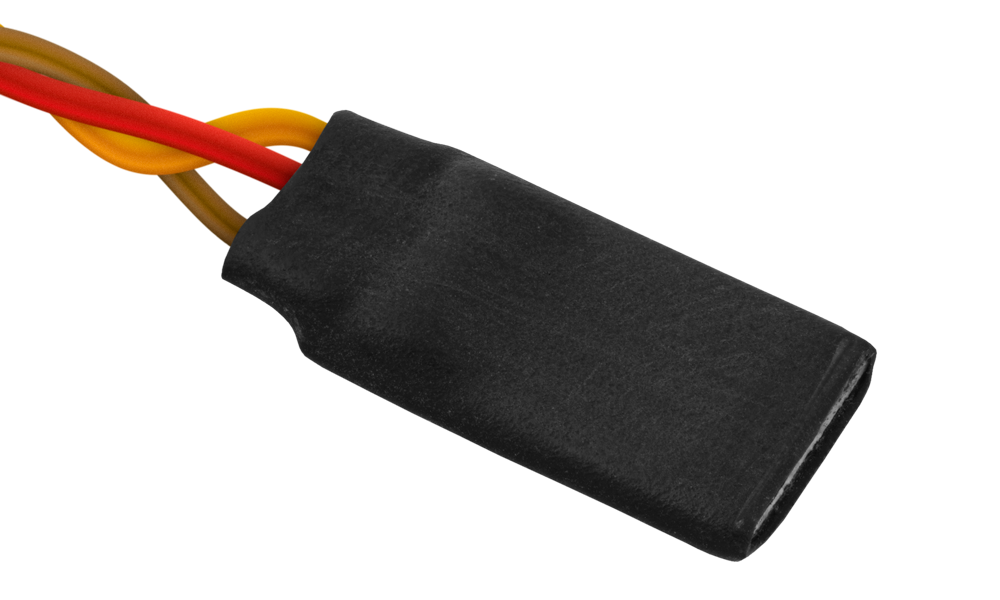
KAVAN Smart PRO Temp125C Temperature sensor
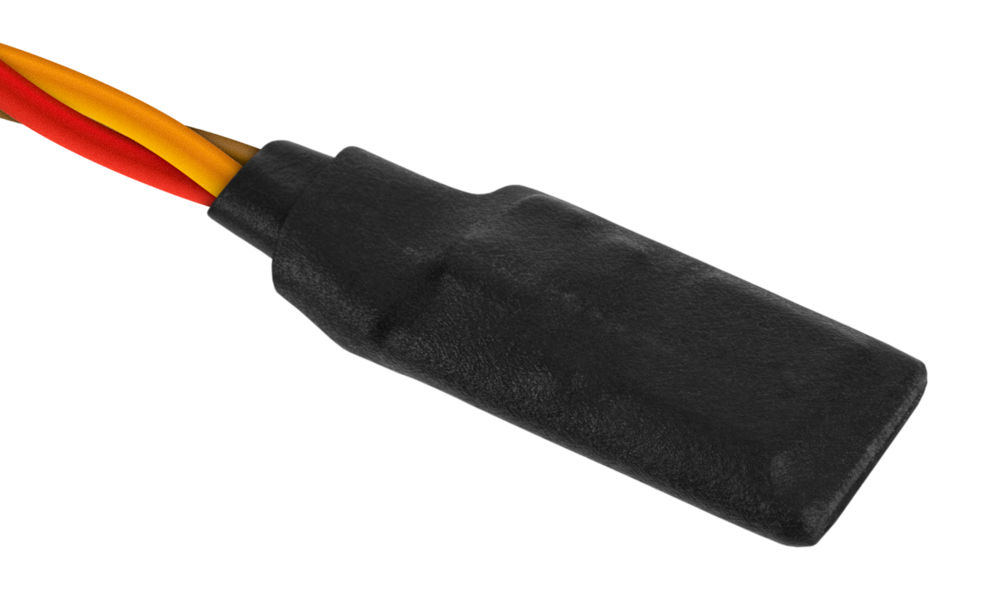
KAVAN Smart PRO Temp125SP Temperature sensor
Introduction
The KAVAN Smart PRO Temp125 is a tiny temperature sensor that supports multiple telemetry protocols. It can be used to measure the temperature of the electric motor, batteries and other elements of your model.
The Temp125SP sends motor-temperature readings to a Smart PRO ESC and stores predefined motor parameters. The ESC reads these parameters and adjusts its settings accordingly.
Features
- Small dimensions.
- Temp125C connects directly to the receiver telemetry port. Temp125SP supports direct Smart PRO ESC connection.
- Temperature min/max values are logged.
- Automatic telemetry detection: FPort, Duplex EX, HoTT, MSB, S.Bus2, P²Bus.
- Configurable alarms on high temperatures.
- Configuration through the transmitter or MAV Manager PC software.
- Firmware updates.
- Temp125SP: Communication with the Smart PRO controllers.
Technical specifications
| Dimensions | 21.5×10×4 mm |
|---|---|
| Weight | 1 g |
| Temperature range | −10–125 °C |
| Temperature resolution | 1 °C |
| Operating current | 4 mA |
| Supply voltage | 3.5–12 V |
| Telemetry | FPort, Duplex EX, Multiplex MSB, Graupner HoTT, Futaba S.Bus2, PowerBox P²Bus |
| Status LED | No |
Main section
Installation
Receiver connection

Connect the Temp125C directly to the receiver telemetry port as shown above.
JETIBOX connection

Plug the Temp125C into the sensor slot of the JETIBOX. Power it up with a battery (4.5–8.4 V). Now you can configure the sensor using ⮝, ⮟, ⮜ and ⮞ on the JETIBOX.
Smart PRO ESC connection

Connect the Temp125SP sensor to the controller using the supplied JR/Micro-JST cable adapter. Use the IN A port on the controller. See the Smart PRO SBEC ESC manual or Smart PRO OPTO ESC manual for the controller connection.
Telemetry and settings
JETIBOX menu structure

The device is compatible with JETIBOX for programming. The JETIBOX menu contains Actual values, Settings and Service, plus Motor Info for the Temp125SP:
- Actual values – displays the latest telemetry values (temperature) including minimums and maximums.
- Reset Min/Max – press ⮜ + ⮞ buttons together to reset all minimums and maximums.
- Settings – basic settings of the sensor
- Language – you can choose the language of the JETIBOX screen.
- Temperature Alarm – you can set a high-temperature alarm.
- Alarm Interval – sets the period between alarm announcements.
- Motor Info – settings related to motor identification (Temp125SP only). If you enable this option, the configured motor parameters will be available to the Smart PRO controller.
- Acceleration – sets the fastest possible acceleration, still safe for the motor.
- Timing – either automatically detected by the ESC, or manual (0–30°).
- Startup Power – power used to start the motor spinning.
- Motor type – standard / high torque / high RPM.
- Service – In this menu, you can view the device version and reset it to the default factory configuration.
Temperature alarms are available with Duplex and HoTT systems.
Graupner HoTT menu structure

The Temp125 is recognized by default as a General Air Module. This can be changed to „EAM“ or „Air-ESC“ mode through the menu.
Futaba and Multiplex connection
Futaba and Multiplex systems do not offer wireless device configuration. The telemetry transmission is possible with the following fixed sensor slots:
| Parameter | Futaba S.Bus2 | Multiplex MSB |
|---|---|---|
| Temperature | 1 | 5 |
| Note | Manual detection in the menu Linkage – Sensor. Choose Temp125 on slot 1. | Automatically detected by the transmitter. |
Firmware update

Firmware updates for the temperature sensor are transferred from a PC via the USB interface.
The required programs and files are available at www.mavsense.com.
Install the MAV Manager software and the USB drivers on your computer. Check the system requirements.
- Disconnect the temperature sensor from the receiver or ESC.
- Connect the USB interface to your PC, run MAV Manager, open Tools → Device Updater and select the correct COM port.
- Connect the temperature sensor as shown in (Fig. 6).
- Select the appropriate
*.BINfile and press Update. - Wait for the update to complete, then disconnect the device.
The legacy connection illustration shows Mini-USB. For the current USB-C interface, use a USB-A to USB-C data cable; follow the connected device’s manual for the correct device port and any external power supply.
PC configuration
It is possible to use the MAV Manager software (1.7.0 and later) to conveniently configure all device settings, display real-time telemetry and make a backup copy of your settings. The configuration menu contains four buttons in the top toolbar, shown in (Fig. 8):
- Refresh – forces the configuration to be reloaded from the device.
- Import – imports the settings from a file. If you have several devices and want all of them with identical settings, import the same settings to each device.
- Export – exports the settings from the device to a file. You can easily create a backup configuration stored on your PC. After creating a backup, you may easily experiment with the settings and later revert to the original configuration by pressing the Import button and choosing the original exported file.
- Reset default – resets the device to factory defaults and reloads all the settings.

Connect the Temp125C or Temp125SP to your PC using the USB interface. The MAV Manager will automatically detect the device. The device properties are available after pressing the Configure button. See


Real-time telemetry with min/max values. The MAV Manager is also able to create a log file from the real-time telemetry data, which can be viewed, analyzed, imported and exported.

Temp125 settings. Every time you make any change in the configuration, the new value is immediately transferred to the device and saved to memory. There is no need for additional confirmation.

Temp125SP motor information screen. The settings configured in this menu will be read and used by the Smart PRO controllers.
Safety information
- Protect the device from moisture, dust and prolonged direct sunlight.
- Operate the Temp125 always in a dry environment and within the device limits stated in this guide. Never expose the device to excessive heat or cold.
- Do not remove the heat shrink tube from the device and do not try to implement any changes or modifications. It may result in damage to the product and denial of any warranty claims.
- Always check the polarity of the connection. Never reverse the polarity – It may result in damage to the product.
Appendix
Manufacturer
KAVAN Smart PRO Temp125 Temperature sensor is made in Czechia by MAV Sense s.r.o.
E-mail: info@mavsense.com | Web: www.mavsense.com
Recycling and waste disposal note (European Union)
Electrical equipment marked with the crossed-out waste bin symbol must not be discarded in the domestic waste; it should be disposed of via the appropriate specialised disposal system. In the countries of the EU (European Union) electrical devices must not be discarded via the normal domestic waste system (WEEE - Waste of Electrical and Electronic Equipment, Directive 2012/19/EU). You can take your unwanted equipment to your nearest public collection point or recycling centre, where it will be disposed of in the proper manner at no charge to you. By disposing of your old equipment in a responsible manner you make an important contribution to the safeguarding of the environment.
EU declaration of conformity (European Union)
Hereby, KAVAN Europe s.r.o. declares that the KAVAN Smart PRO Temp125C/Temp125SP Temperature sensor is in compliance with the essential requirements as laid down in the EU directive(s) concerning electromagnetic compatibility. The full text of the EU Declaration of Conformity is available at www.kavanrc.com/doc.
Guarantee
The KAVAN Europe s.r.o. products are covered by a guarantee that fulfils the currently valid legal requirements in your country. If you wish to make a claim under guarantee, please contact the retailer from whom you first purchased the equipment. The guarantee does not cover faults which were caused in the following ways: crashes, improper use, incorrect connection, reversed polarity, maintenance work carried out late, incorrectly or not at all, or by unauthorised personnel, use of other than genuine KAVAN Europe s.r.o. accessories, modifications or repairs which were not carried out by KAVAN Europe s.r.o. or an authorised KAVAN Europe s.r.o., accidental or deliberate damage, defects caused by normal wear and tear, operation outside the Specification, or in conjunction with equipment made by other manufacturers. Please be sure to read the appropriate information sheets in the product documentation.
For service, contact the retailer from whom you purchased the product. Use the original packaging if available. Include a dated description of how the product was used and the fault, together with your full address and telephone number.
Incorrect installation, inadequate mounting or cooling, cable strain, reversed polarity and operation beyond the specified limits are not covered. Protect the device from excessive heat, moisture and dust, and do not leave it in direct sunlight for prolonged periods.