KAVAN V15 - Changing the stick mode
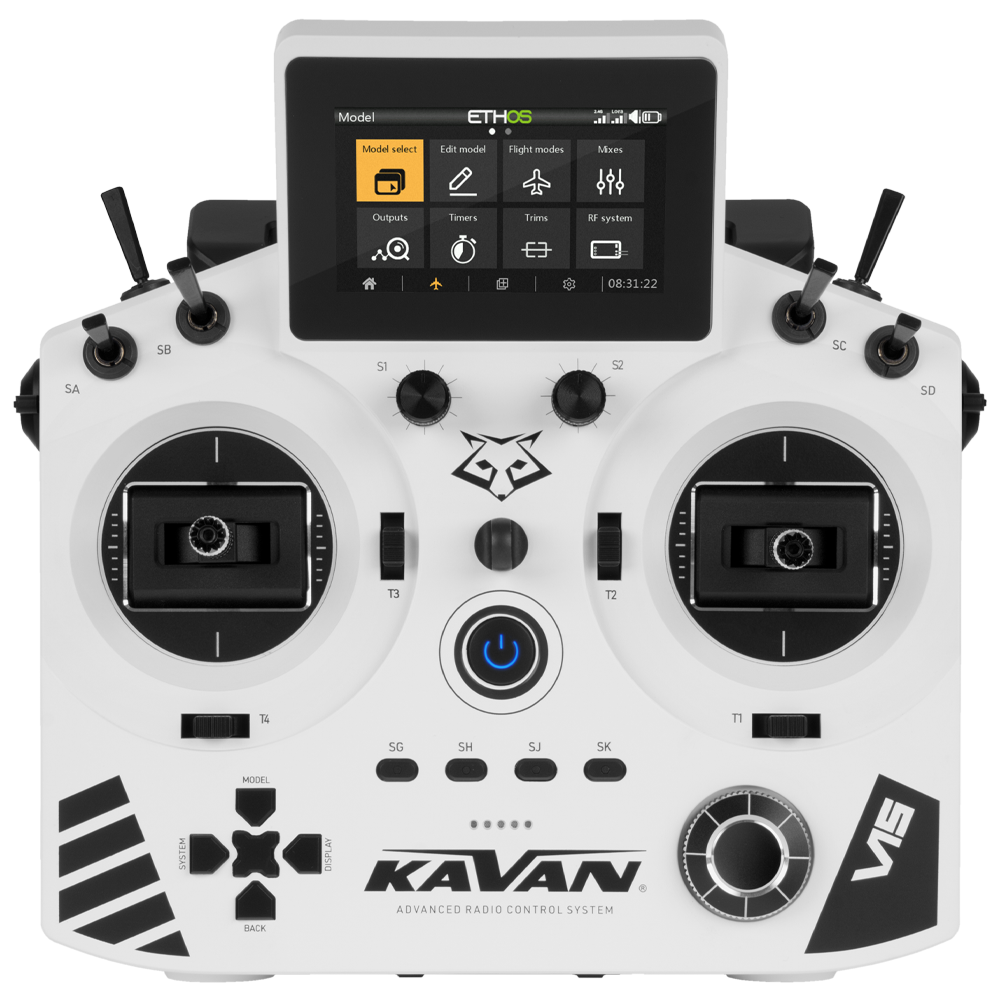
KAVAN V15 - white
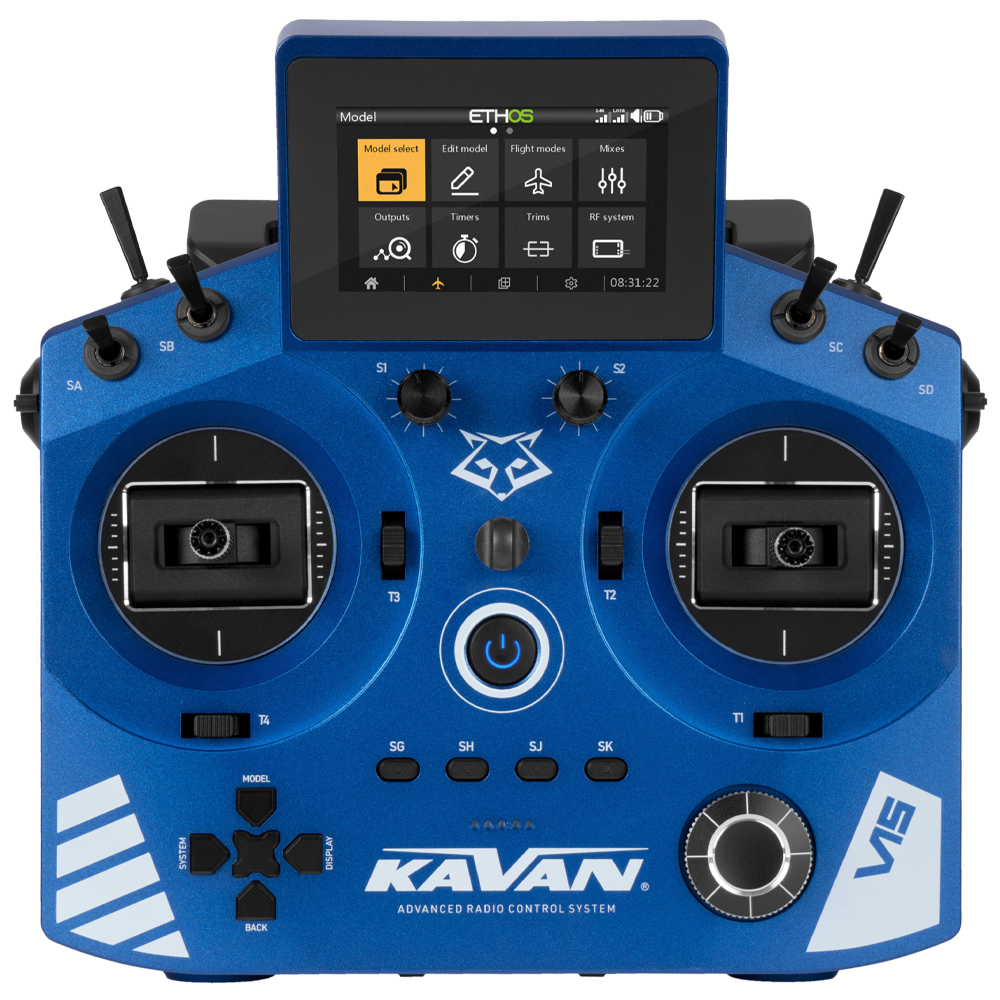
KAVAN V15 - blue
Introduction
This guide explains how to transfer the throttle function between the two gimbals and adjust their centring, friction and ratchet. Mechanical adjustment and the software stick mode must agree.
Switch off the model and transmitter. Disconnect and remove the transmitter battery before opening the case. Protect the antennas, cables and connectors; never pull the case halves apart against a cable. If the hardware differs from the guide, stop and contact service.
Main section
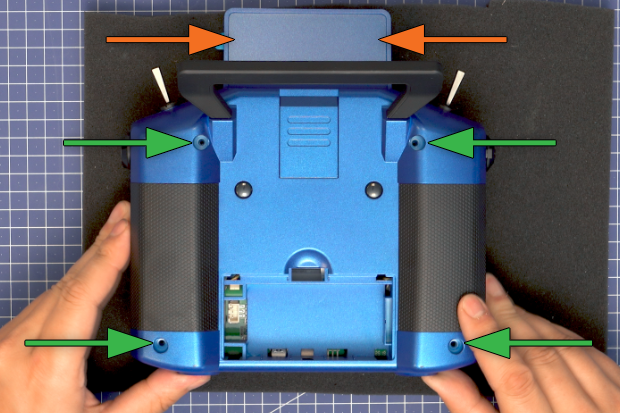
- Remove the battery cover, disconnect and remove the battery, then undo the four rear-case screws. Open the case slowly from the bottom. Protect the two plastic locating pins behind the display.
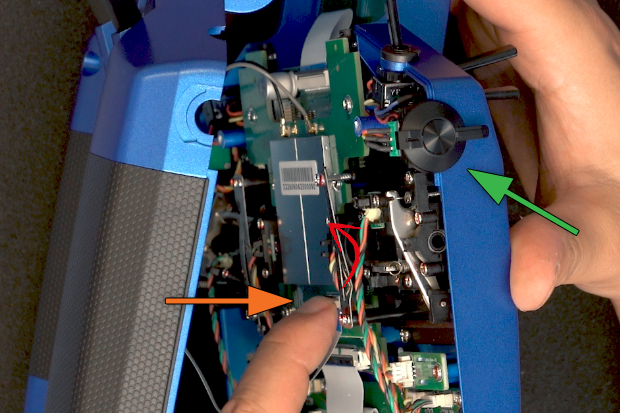
- Lift out the side rotary sliders and place them in the front-case mounts clear of the work area. Release the ribbon-cable connector latch upwards/towards you, then withdraw the cable without pulling on its conductors.
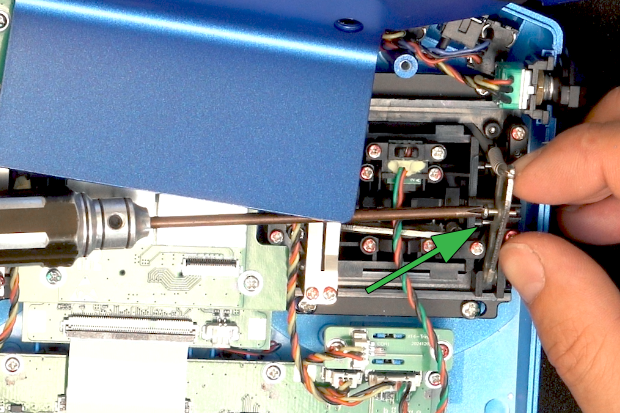
- Unscrew and remove the centring-spring lock from the current throttle gimbal. Gently lifting the spring arm makes removal easier.
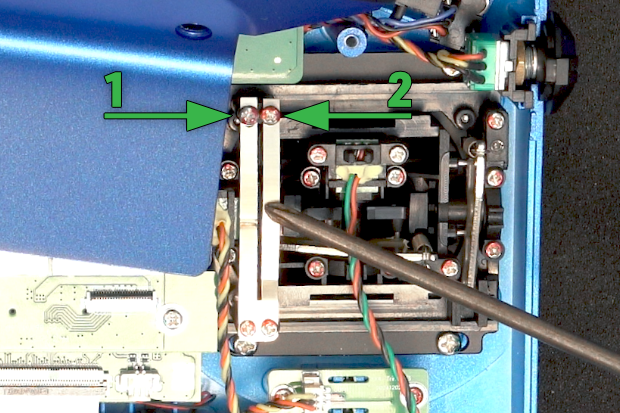
- Loosen the ratchet-strip screw [1] and friction-strip screw [2] on that gimbal. Check that it moves freely in all directions. Loosening the friction adjustment reduces the force needed to move the stick.
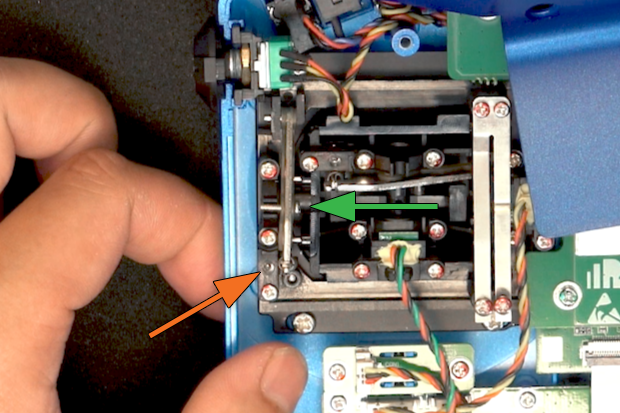
- Transfer the centring-spring lock to the new throttle gimbal and secure it, gently lifting the spring arm if needed. Loosen that gimbal’s vertical centring-spring adjustment as required so it no longer returns the throttle to centre.
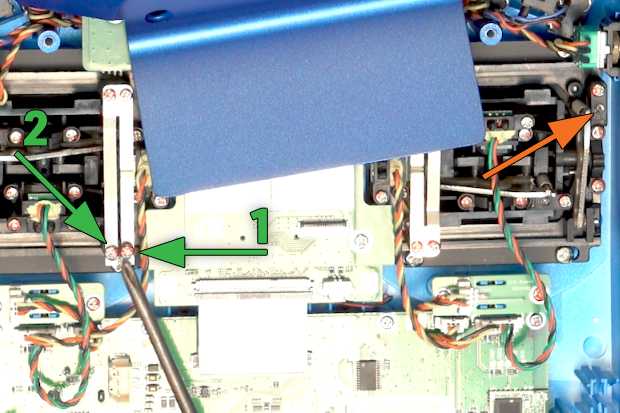
- Adjust the new throttle gimbal’s ratchet [1] and friction [2]. Tightening the friction adjustment increases resistance. On the opposite gimbal, adjust the vertical spring so the stick centres correctly.
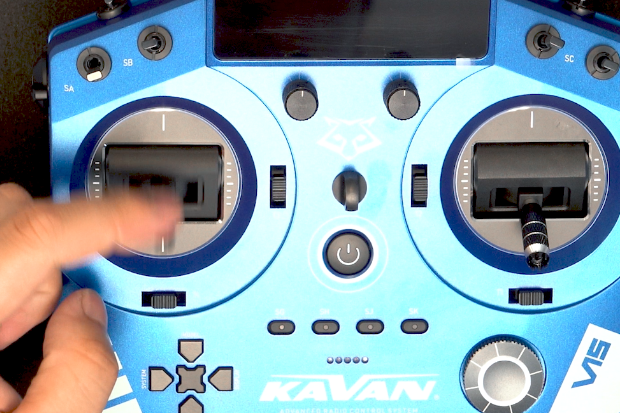
- Check full travel of both gimbals. Adjust ratchet and friction until the feel is suitable, without overtightening the screws or restricting travel.
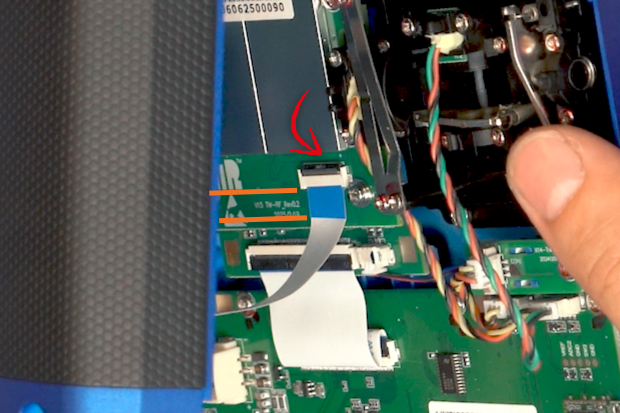
- Insert the ribbon cable straight and fully into its connector, then secure the latch. Check that the cable is aligned and locked without forcing the connector.
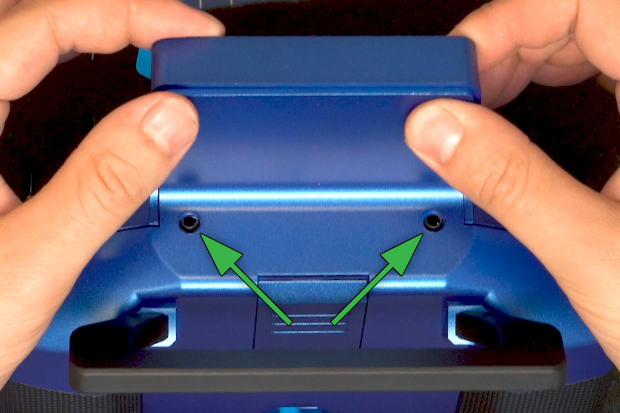
- Refit the sliders and rear case. Centre the audio and trainer sockets in their openings and ensure no cable or antenna is trapped. Refit the four screws, reconnect the battery with correct polarity and close its cover.
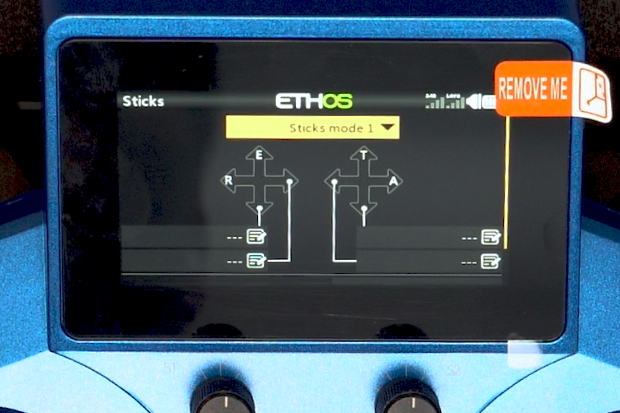
- Turn on the transmitter and select the matching stick mode in System → Sticks, for example Mode 2 → Mode 1. Calibrate the controls as described in the transmitter manual, then check directions, neutral positions and full travel in Model → Outputs. Menu labels may differ with firmware.
With the model’s propulsion disabled, check every control, throttle stop and failsafe before returning the model to service. A successful stick-mode change does not verify each model memory automatically.
Appendix
Video tutorial
If you need more detailed instructions, watch this video tutorial, where you can find all the moves described above step by step.