Joysway Baiting 2500 - Instruction manual
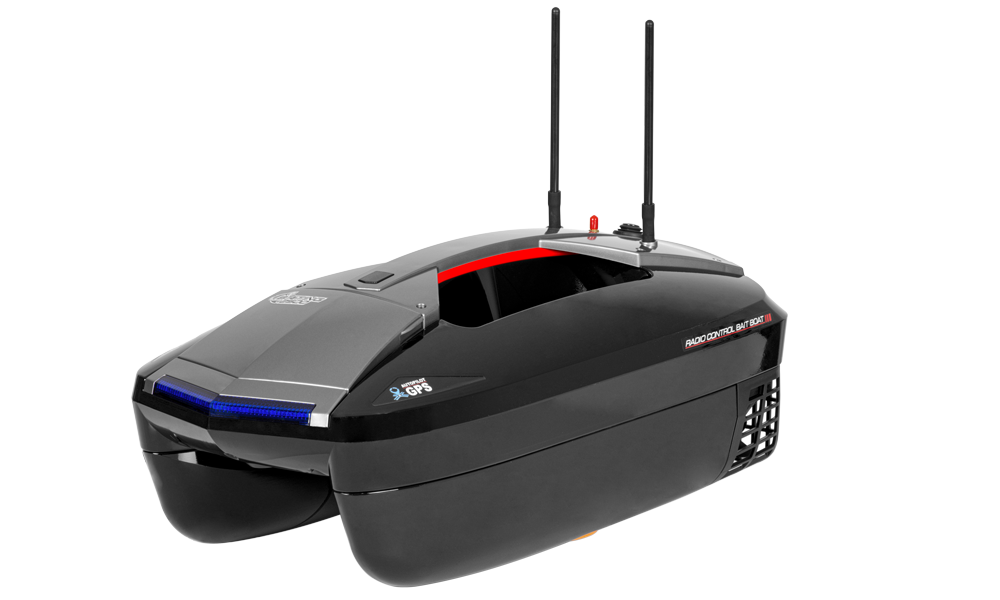
Baiting 2500
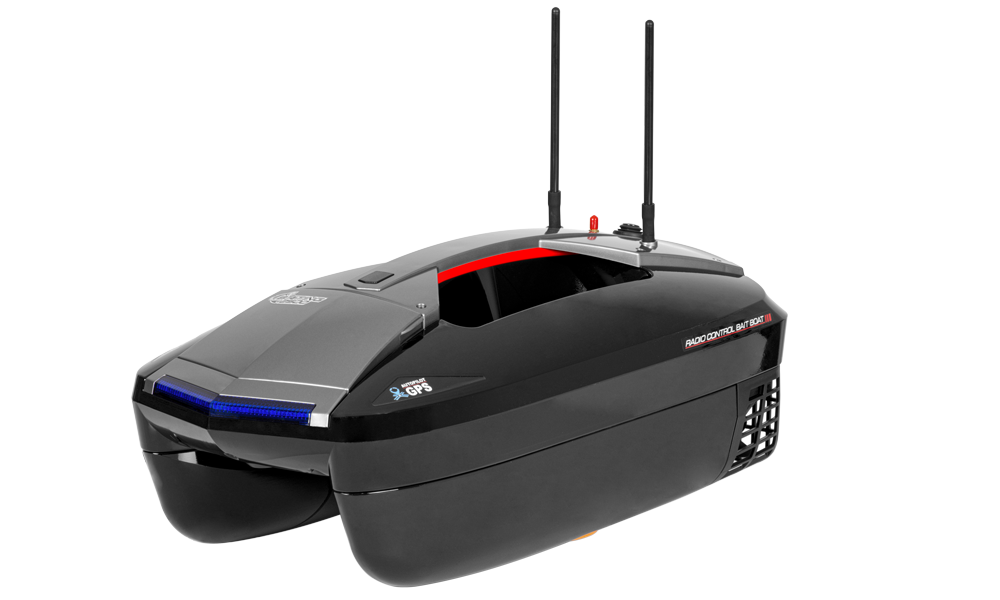
Baiting 2500 with sonar
Introduction
Baiting 2500 is a twin-motor bait boat with a J5C92 pistol radio, GPS autopilot, a bottom-opening hopper and rear hook release. Both the standalone 4ST3152 and sonar-equipped 4ST3152F are discontinued. This manual covers the original 3152, not Baiting 2500 V2. For the sonar-equipped set, also read the TF300 manual.
Specifications
| Parameter | Description |
|---|---|
| Dimensions | 600×315×230 mm |
| Weight | 4.1 kg |
| Drive battery | LiFePO₄ 6.4 V 15.6 Ah |
| Transmitter cells | 4× AA |
| Radio frequency / maximum radiated power | 2400–2483.5 MHz / <14 dBm |
| Control / return-data range | 500 / 300 m |
| Continuous runtime: autopilot / manual | 3.5 / 2 h |
| Charge time / maximum connection time | 4 / 6 h |
Set contents
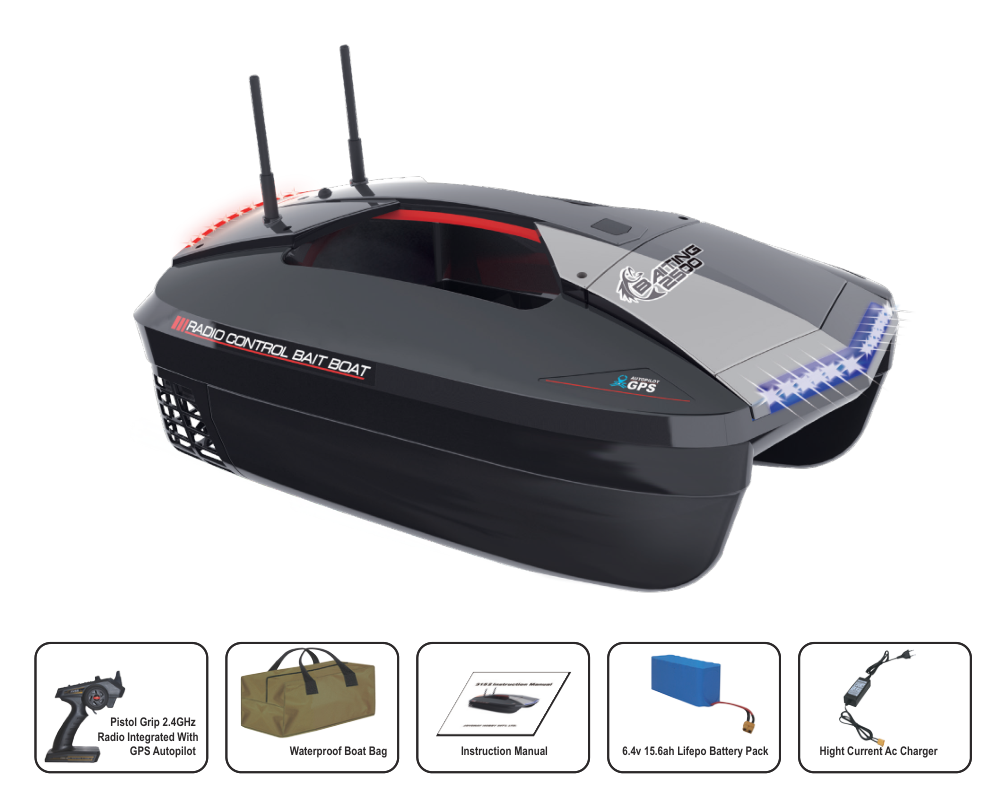
- Boat
- GPS radio
- Waterproof carrying bag
- 6.4 V 15.6 Ah LiFePO₄ pack
- High-current mains balance charger
- Instructions.
Safety notes
Read all instructions before use. Keep hands clear of propellers and disconnect power before clearing or servicing them. Do not operate near swimmers, in strong wind, waves, rain, thunderstorms, flowing water, weeds or dense obstacles. Keep small parts away from children, especially those younger than 3. Never swim after a stranded boat or enter the water with the transmitter.
Remove boat and transmitter batteries for transport and storage. Protect the hull from falls and impacts and batteries from sharp objects, punctures and short circuits. Keep equipment out of heat, damp storage and direct sunlight. Keep the transmitter dry. After each outing, disconnect the battery and dry the open hull completely to prevent corrosion.
Independent use is intended for persons older than 15. Operate only on still water; rivers, streams and canals can carry the boat beyond control. If it stops, recover safely from shore or using a suitable full-size craft, never by swimming.
Main section
Charging and transmitter preparation
- Remove the drive pack from the boat. Use the original charger for this LiFePO₄ battery. Connect the charger to mains, then connect the pack. Red indicates charging; steady green indicates completion. Disconnect the pack and switch off/unplug the charger when green appears.
- Install 4 AA cells in the transmitter with correct polarity, close the cover and switch ON. The TX LED lights. Always switch the transmitter on before powering the boat.
Charging takes about 4 h. Never leave the pack connected longer than 6 h, charge overnight or leave charging unattended. Do not charge inside the boat or in hot or humid conditions. Stop if the battery becomes abnormally hot or damaged.
Battery installation and controls
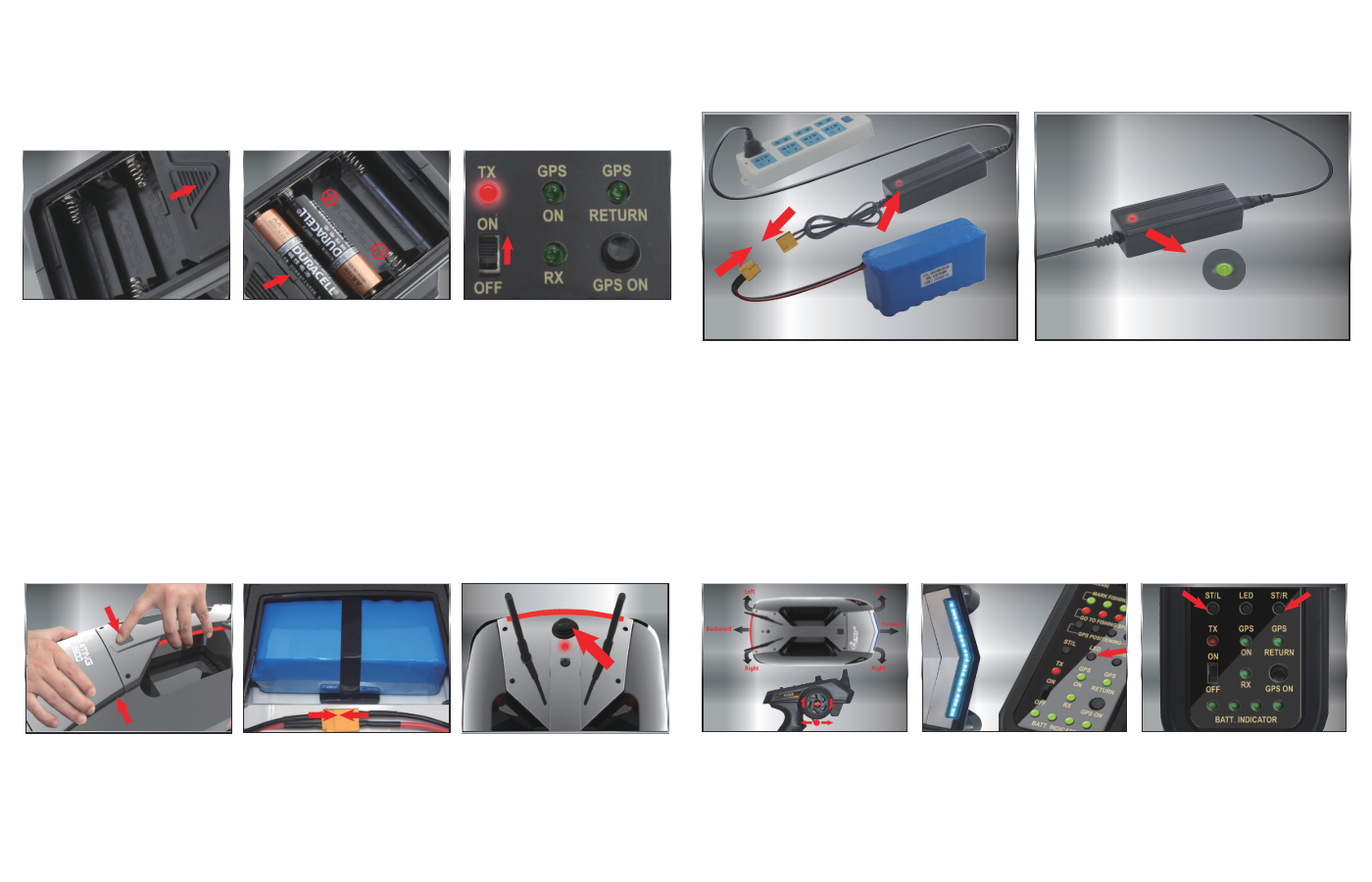
- Open the hatch, secure the pack with its hook-and-loop strap and connect it to the boat’s power plug. Switch on the boat using the button at the rear top of the handle. Check its power indicator and close the hatch securely.
- Pull the trigger for forward, push it away for reverse. Turn the wheel anticlockwise for left and clockwise for right. Press LED to toggle navigation lights. If the boat veers right at neutral steering, press ST/L; if it veers left, press ST/R.
Binding if required
If RX and BATT.INDICATOR do not illuminate after normal startup, bind the radio as follows.
- Switch the transmitter off and disconnect the boat battery. Hold ST/L while switching the transmitter on. TX lights steadily; release ST/L when GPS ON flashes.
- Connect the boat battery and switch on at the handle button. Binding is complete when RX and BATT.INDICATOR light. Check all controls before launching.
Hopper and rear hook release
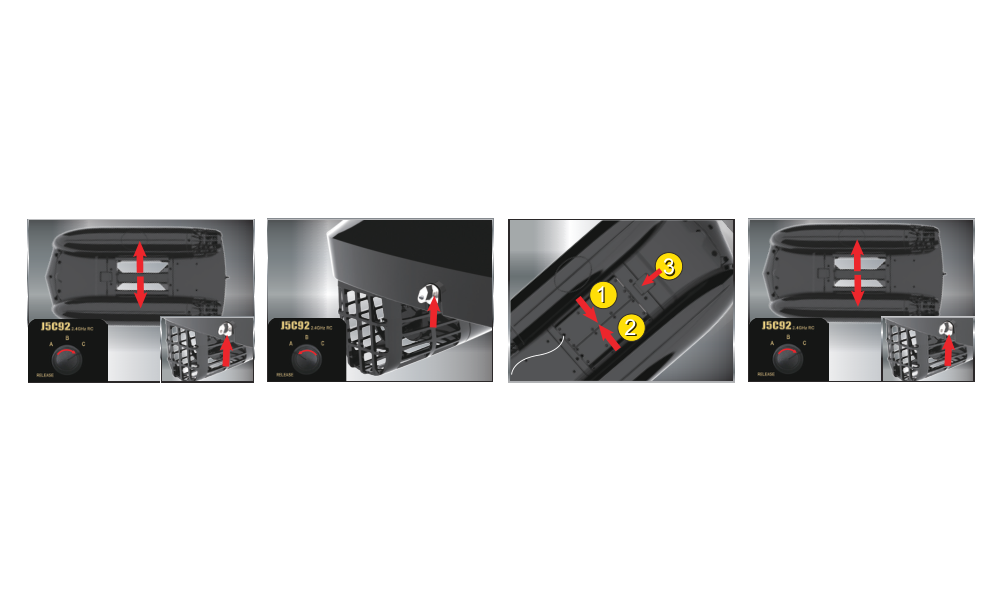
- With boat and transmitter on, turn the hopper knob to C to open both the hopper and rear lock. Tie a metal ring to the fishing line, place it on the rear lock, then turn C to A to extend the locking pin. Line tension must be carried by this rear lock.
- Place the hook in the hopper from underneath. Close the left door first, then the right door, with the line through the door’s hole. Push down the latch to lock the doors. Add bait. At the delivery point turn A to C to open the hopper and rear lock and release bait and hook.
GPS home point and automatic return
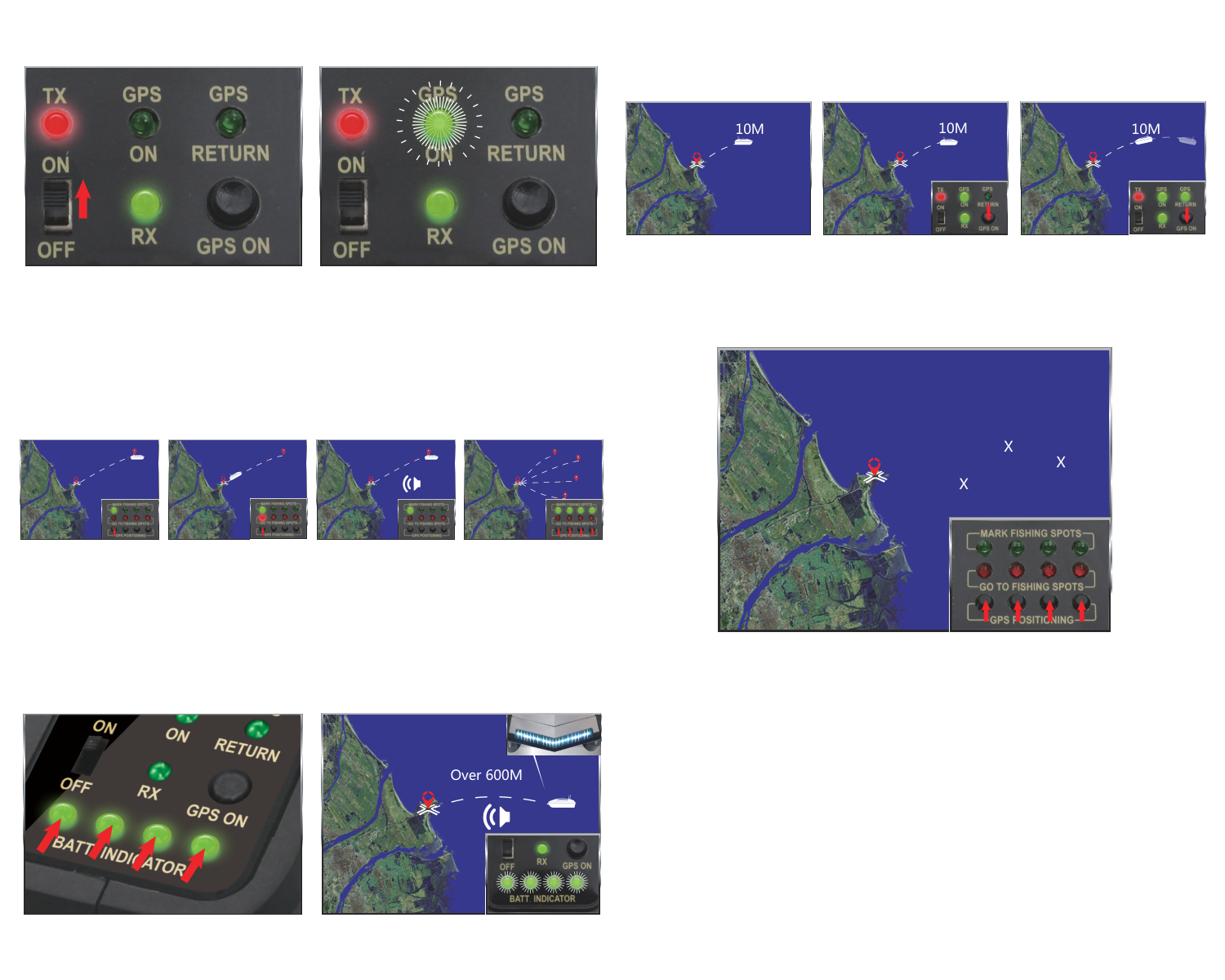
Set and verify the home point before carrying bait. Without it, one-button return and failsafe return cannot work correctly. Keep the transmitter at least 1 m above the water for reliable radio reception. Autopilot does not remove the need for a clear route and supervision.
- Switch on transmitter, then boat. TX shows red and RX green. Wait for GPS ON to flash green, normally after 3–5 min depending on conditions.
- Drive to a clear point 10 m from shore. Hold GPS ON for more than 5 s. Its green light changes from flashing to steady: this location is saved as home.
- After moving away, hold GPS ON for more than 1 s. GPS RETURN lights green and the boat returns to home. On arrival the transmitter beeps and GPS RETURN goes out. Drive the remaining distance to shore manually.
- Moving the trigger or steering wheel cancels automatic return and restores manual control. To restart return, hold GPS ON for more than 1 s again.
Failsafe return
The source states that switching off the transmitter after losing range or sight activates return to the saved home point after 30 s. Switch the transmitter back on when the boat is visible and in range, then bring it ashore. This recovery depends on a valid home point, GPS and sufficient battery; verify the function safely close to shore and do not use signal loss as a routine control method.
Four fishing spots
- At a desired spot, hold an unused GPS POSITIONING button for more than 5 s. A steady green light confirms storage. Repeat for up to 4 different spots.
- Hold the saved spot’s GPS POSITIONING button for more than 1 s to navigate there. Its red light stays on during travel. At arrival the boat stops, the red light goes out and the transmitter beeps.
- To erase a saved spot, hold its button for more than 5 s until green goes out. At a new fishing location, erase the old spots and replace the old home point with a newly verified home before use.
Battery and radio warnings
Normally the 4 green BATT.INDICATOR lights are on. Low battery makes all 4 flash, the transmitter sound and front/rear navigation lights flash. Return immediately and recharge. The source quotes about 600 m of remaining travel, but conditions can reduce this; do not use it as a guaranteed reserve.
Control range is approximately 500 m, while the boat’s return-data link is about 300 m. Beyond 300 m, BATT.INDICATOR and GPS lights may flash or go dark although control may remain within 500 m. Raise the transmitter to improve reception and return to reliable range; do not assume a dark indicator means the battery is empty.
Shutdown, draining and storage
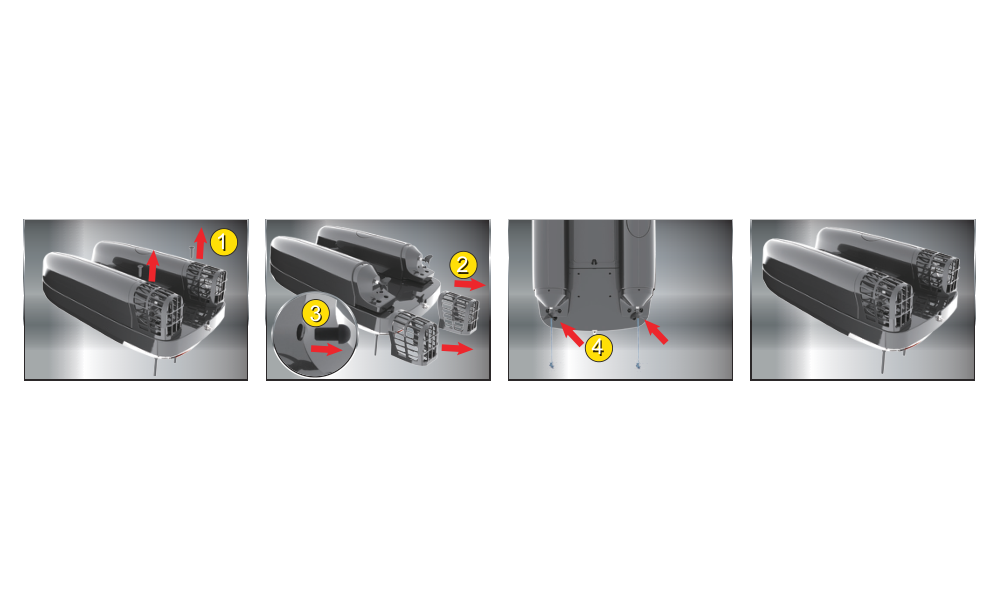
- Switch the boat off, then the transmitter. For a short pause use the boat’s power button; for storage disconnect and remove its battery and the transmitter cells. Open the hatch after every use.
- If water entered the hull, with power disconnected loosen the 2 screws securing the 2 weed guards. Remove the guards and the 2 drain plugs beneath the propellers. Drain through these holes.
- Refit both drain plugs, reinstall the guards and tighten their 2 screws before use. Dry the hull completely with the hatch open; storing it wet causes corrosion.
Never launch with the drain plugs missing: water will enter through the drain holes.
Appendix
Spare parts
| Part number | Description |
|---|---|
| 315201 | Transmitter J5C92 |
| 315202 | J5C92 receiver and GPS module |
| 315203 | LiFePO₄ 6.4 V 15.6 Ah |
| 315204 | Mains balance charger with EU lead |
| 315208 | Baiting 2500 brushless motor |
| 315209 | Brushless ESC |
| 325104 | Left and right propeller set |
| 315211 | Antenna cover tubes, 2 pieces |
| 315212 | Left and right propeller guards |
| 315213 | Undecorated hatch and gaskets |
| 315214 | Left and right floats without decals |
| 315215 | Bait hopper door set |
| 315216 | Hopper door lock and servo |
| 315217 | Rear locking-pin hook-release set |
| 315218 | Servo |
| 315219 | Decal set |
Recycling (European Union)
Electrical equipment bearing the crossed-out bin symbol must not be disposed of in normal household waste. Instead, it must be taken to a specialised collection and recycling facility. In EU (European Union) countries, electrical equipment must not be disposed of in normal household waste (WEEE - Waste of Electrical and Electronic Equipment, Directive 2012/19/EU). You can take unwanted equipment to your nearest collection or recycling centre. The equipment will then be disposed of or recycled safely, free of charge. By handing in your unwanted equipment, you can make an important contribution to protecting the environment.
EU Declaration of Conformity
Joysway Hobby International Ltd. hereby declares that the model Baiting 2500 and other equipment supplied with it are in compliance with Directive 2014/53/EU. The full text of the EU Declaration of Conformity is available at the following website: https://www.kavanrc.com/doc. This 2.4 GHz radio equipment can be used without prior registration or individual approval in all countries of the European Union.
Warranty and post-warranty service
All Joysway products are covered by a 2-year warranty covering all manufacturing defects and faults. When making a claim within the warranty period, please always present a copy of the proof of purchase with the product and provide the service personnel with as detailed and complete information as possible about the defect found, your usage and other information that will facilitate the assessment of the claim and speed up its settlement. Please make your claim at the shop where you purchased the product.
This warranty certificate entitles you to a free warranty repair of the product supplied by KAVAN Europe s.r.o. within a period of 24 months. The warranty does not cover natural wear and tear due to normal use, as this is a product for modelling use, where the individual parts operate under much higher loads than normal toys are subjected to.
The warranty also does not cover any part of the equipment that has been improperly installed, roughly or improperly handled, or damaged in an accident, or any part of the equipment that has been repaired or altered by an unauthorised person (this includes the application of any waterproof sprays/coatings by the user). Like other fine electronics products, do not expose this equipment to high temperatures, low temperatures, moisture, dusty environments, violent mechanical shocks and impacts. Do not leave it in direct sunlight for extended periods of time.
Improper installation includes inadequate mounting, mechanical strain on cables and insufficient cooling.
Please claim warranty repairs from the shop where you purchased the product.
If possible, use the original packaging when returning the product for service. Include a dated description of its use and the fault, together with your full address and telephone number.